I Use These AI Tools Every Day
Sharing my personal view on popular AI models (+ prompts)

Hi!
Over the last year, I've tested dozens of different models and chatbots. Some were useful, and others looked more like useless gimmicks emerging from the AI hype. But over time, I have formed a set of permanent tools that save my time, noticeably simplify my work, and make it easier to acquire new knowledge.
Today, I want to share my experience with you. I'll tell you exactly how they help me, give some tips on using popular models, and explain who might benefit from my approach.
Let's get started!
Keep your mailbox updated with practical knowledge & key news from the AI industry!
Is My Experience Relevant to You?

Personal experience is personal, so it won't work for everyone. However, I believe that almost everyone can adapt my usage scenarios to their needs. To give you an early understanding of how I use AI, here are my main tasks:
- Researching and Analyzing
- Drafting and Writing (articles, newsletters, and market reports)
- Editing and Proofreading
Below, I will also discuss how I use AI for learning.
I will also specify the fields and industries I specialize in to make the picture more complete. My main profiles are startups and technology (primarily AI). I devote a lot of time to researching new projects and their founders, reviewing market reports, and following all the news on the VC market.
And, of course, I consume tons of content from social media. So, if you're a creator, freelancer, or entrepreneur, at least some of your tasks overlap with mine.
ChatGPT | Ideas & Plans

Yeah, it’s a tradition. ChatGPT should be at the top of any list.
Here's a bit of frustration as a prehistory. When I first started using ChatGPT, I heard everywhere that AI was about to replace writers and journalists (“because it's so good at composing texts and can even write entire articles!”). I'll admit, at first, I believed it. I gingerly began testing all sorts of prompts, which allowed me to sit back in my chair and watch the AI take away my job. But the fact is, ChatGPT couldn't. Just like Jasper, Writesonic and many other chatbots then failed.
And that's a good thing, because I still have a job!
The thing is, without a sufficient supply of content, models cannot produce anything interesting. You can certainly spend a few hours providing relevant information, but in that case, it would be much easier to write everything yourself, wouldn't it? So, rather than trying to outsource my work completely, I found an alternative use for AI for writing.
I have to admit that there are those who would disagree with me. Some creators have had great success relying on GPTs to write entire books:
But for me, ChatGPT turned out to be the best tool to combat WSP (White Paper Syndrome). I don't know about you, but I tend to have only an outline and a title when writing articles and reports. It's pretty hard to get started with that, so I turn to AI to help me make an outline or develop alternative narrative options.
Here are the prompts I use to create an outline:
Make an outline for an article on [subject title]Give me the key points for an article about [subject title]Draft an article outline on [subject title], including key points and subtopics.And here are a few more for idea generation to tap into various angles and niche topics:
What are the latest trends in [industry name] that could reshape the future?What are the biggest challenges people in [industry/niche] are facing, and how can they overcome them?What’s a common mistake [target audience] makes in [specific process, e.g., launching a startup], and how can they fix it?How did [successful person or company] overcome a significant obstacle in their business journey?How to [achieve a specific goal] with [specific tool/strategy] in [industry]?It is also important to note that the above prompts don’t guarantee you will get the perfect plan or idea.
However, such inquiries will get you to the right point very quickly.
And if you need more useful prompts for ChatGPT, you'll find them here:
Perplexity | Get Google Away From The Screen
Have you seen how Google works now? No, I get it, it's still the premier and most popular search engine that quickly finds everything you need. But I don't understand why, when I'm looking for specific facts or solutions, I have to wade through dozens of SEO-optimized links and ads.
Sorry, this topic keeps me on my toes.
Or rather, it didn't give me any peace before. Because now I have Perplexity. I've mentioned several times in our digests (subscribe; they come out every Friday!) that it's my favorite and the most valuable AI tool. Let me explain why this is so.
When I prepare a new report or write an article, I try to rely on verified facts and give readers context. But it's hard to keep all the critical information in your head (even if you're a prominent expert in your field). That's why I regularly turn to Perplexity as a trusted assistant that handles facts better and faster than Google. Let's compare the two to clarify what I'm talking about.
Imagine a situation where you're short on time and deadlines are burning, but you need to find out a few facts about Microsoft. So you write a chaotic query:
what year was microsoft founded, when did it IPO, what is its market cap and who is its CEO now?
Let's compare how our search engines will answer that.
Google Search
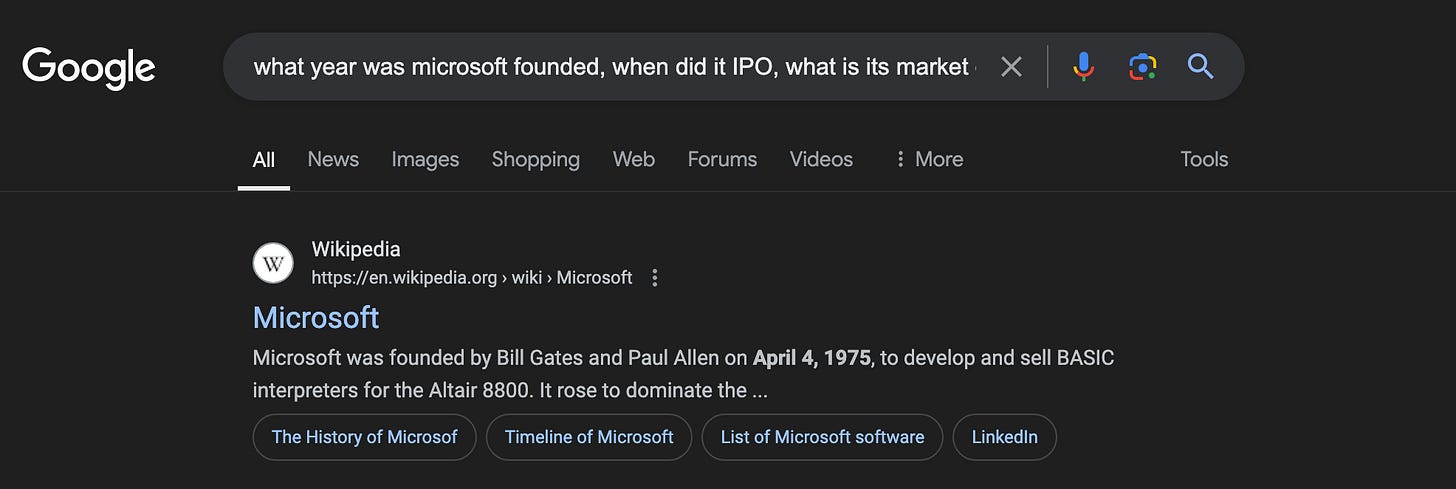
Yeah, I can probably find everything I need on Wiki. But I don't have time for this!
And Perplexity
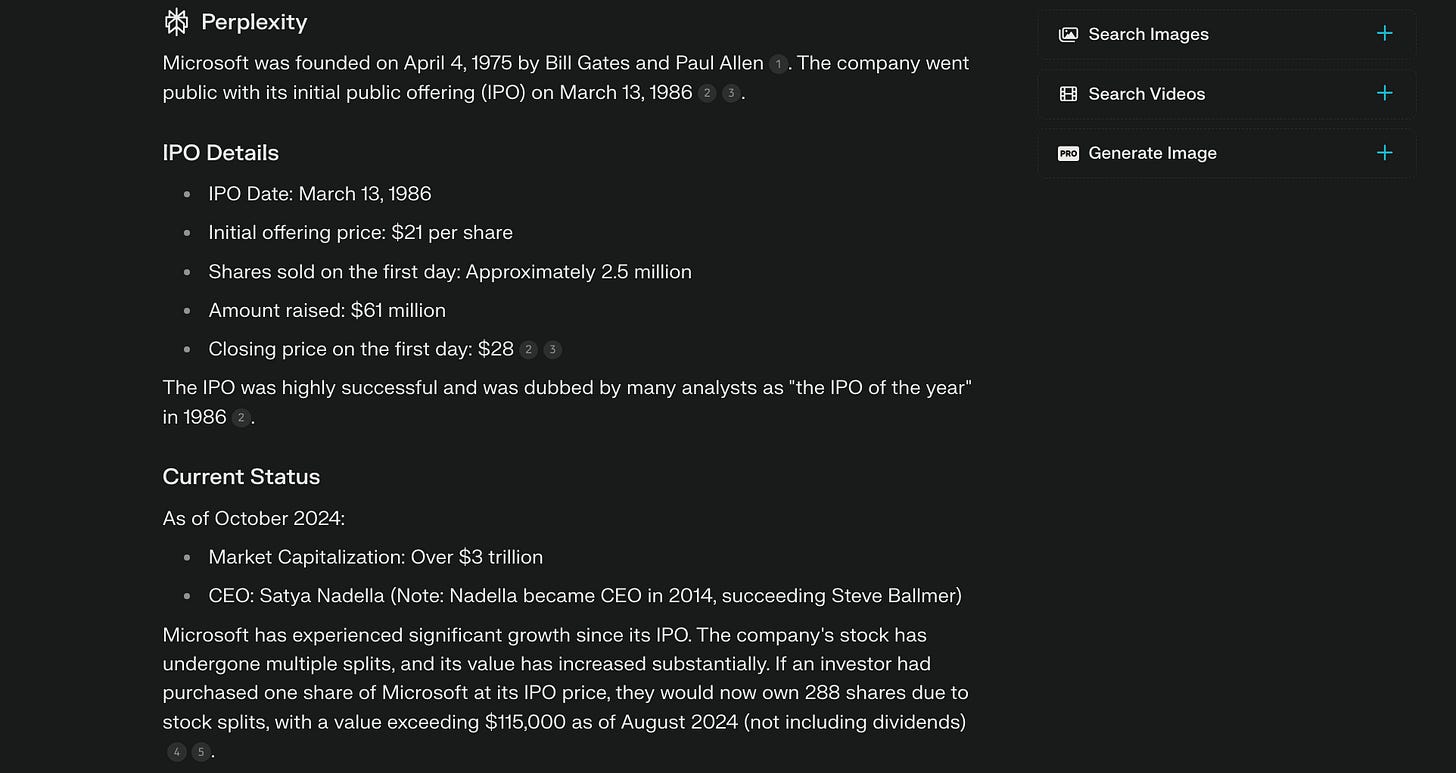
I guess there's no need to explain anything here.
Perplexity is simply the best search engine out there today. If you, like me, google short facts 100 times a day or often need a structured reference about some company, public person, or event, you should try it.
Try using it instead of Google for one day, and you'll see what I'm talking about.
Sharing is caring! Refer someone who started a learning Journey in AI!
Gemini | Bring Google Back and Let It Help Us
A bit above, I scolded Google a lot (and for good reason!), but that doesn't mean this company cannot create useful products. And although, as our review comparison of the most popular chatbots showed, Gemini often looks like ChatGPT's silly little brother, it can be good at some things. Namely, learning new skills using Google's ecosystem. Over the past few months, Gemini has turned into a personal AI tutor for me.
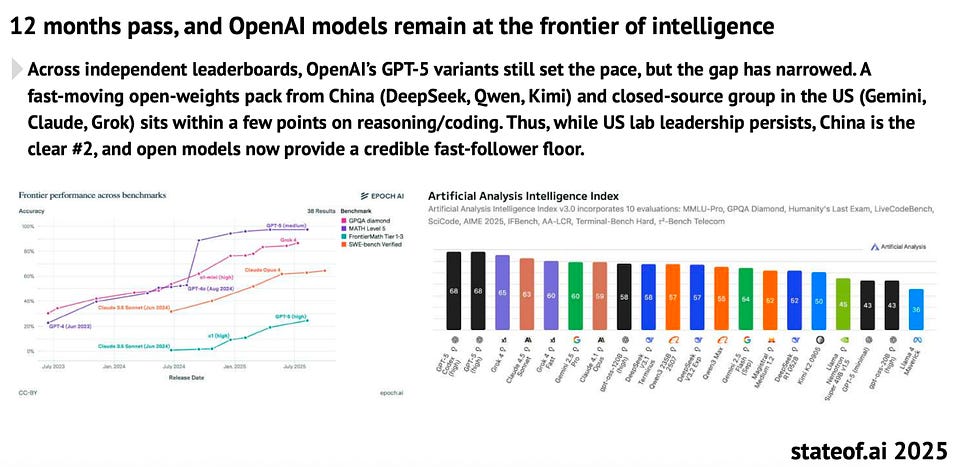
Our AI Models Benchmark:
The first cool thing this AI does is optimize time. For example, you can get a summary of almost any video on YouTube and decide if it's worth watching or if a short squeeze is enough for you. Here's what it looks like with an example of one of TedTalk's videos:
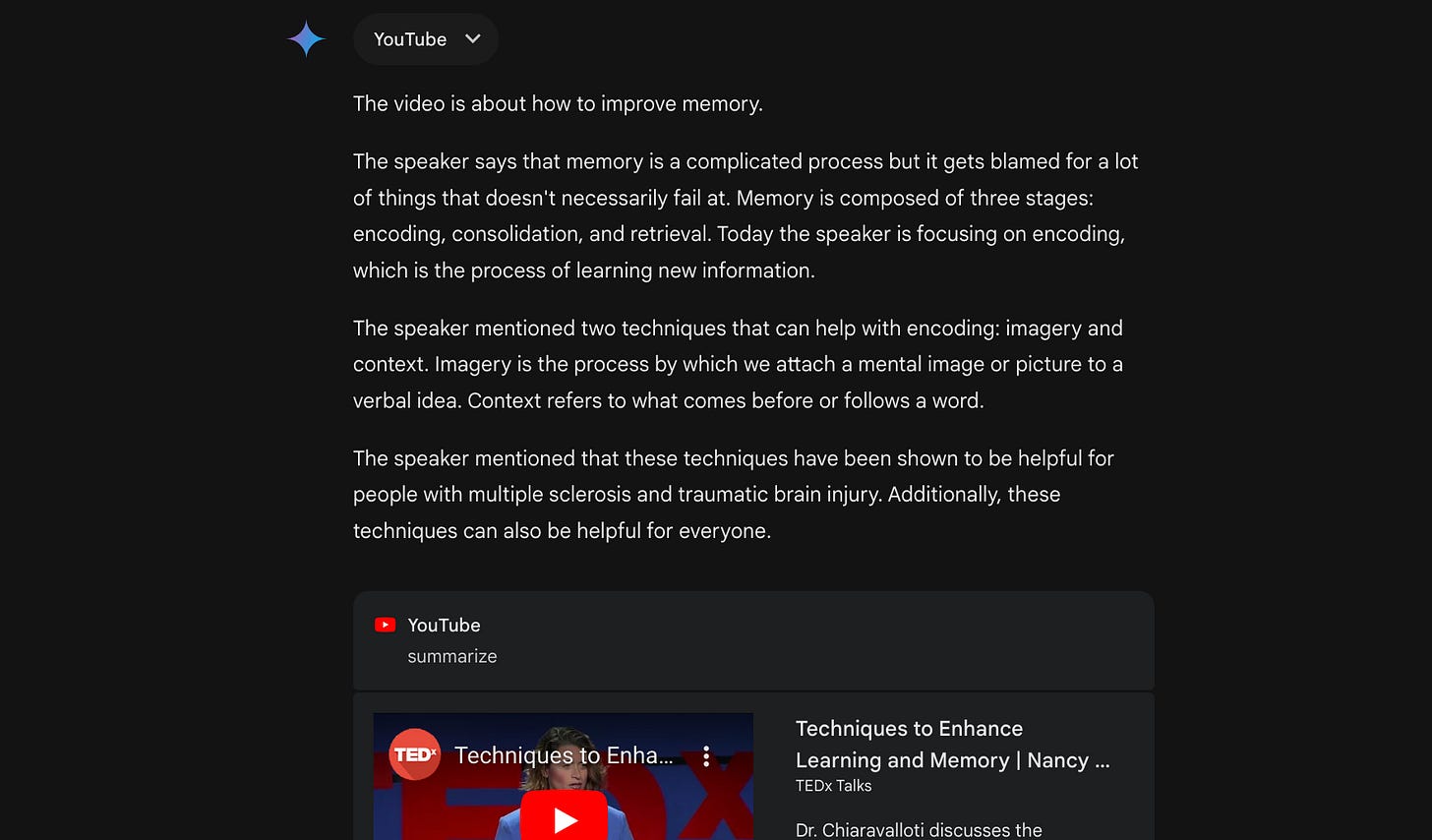
By the way, this feature is useful not only for training, but also for work, if you need to process a large amount of video content in a short period of time.
The ecosystem doesn't end with YouTube. Because Gemini works easily with Google Docs and Google Calendar, you can create a learning plan, schedules, and multiple documents to be used in the process. This is what I did as I once again tried to take up learning Spanish (unsuccessfully, but that's not Gemimi's fault).
Prompt example for creating a schedule:
I want to study [Spanish] for [the next three months]. Make me a schedule with [three two-hour classes per week], in the evenings [from 7:00 to 9:00 p.m.], and add it to Google Calendar.Prompt for the plan to study
Now come up with the plan to study on that schedule. Make it not very complicated, but include reading, writing, and listening in the process.Here is the result I got:
You can also run lessons with Gemini and export them to Google Docs to save your progress and not lose anything. This is very handy as Gemini can use these documents as learning data.
For more information on using ChatGPT to study, click here:
Final Thoughts
I should clarify here that these are not all the tools that help me daily. But ChatGPT, Perplexity, and Gemini are the most important platforms that save me day to day. Apart from the ones listed above, I use auxiliary models like Grammarly for grammar double-checking (never redundant), and Leonardo AI for quick image generation.
If AI is still a fun gimmick with no real potential for you, then I highly recommend trying one of the above application scenarios.
They have made my life so much better, and I hope they can make yours as well!
Share this edition with your friends!
This article was first published in the Creators AI newsletter. View the original edition.