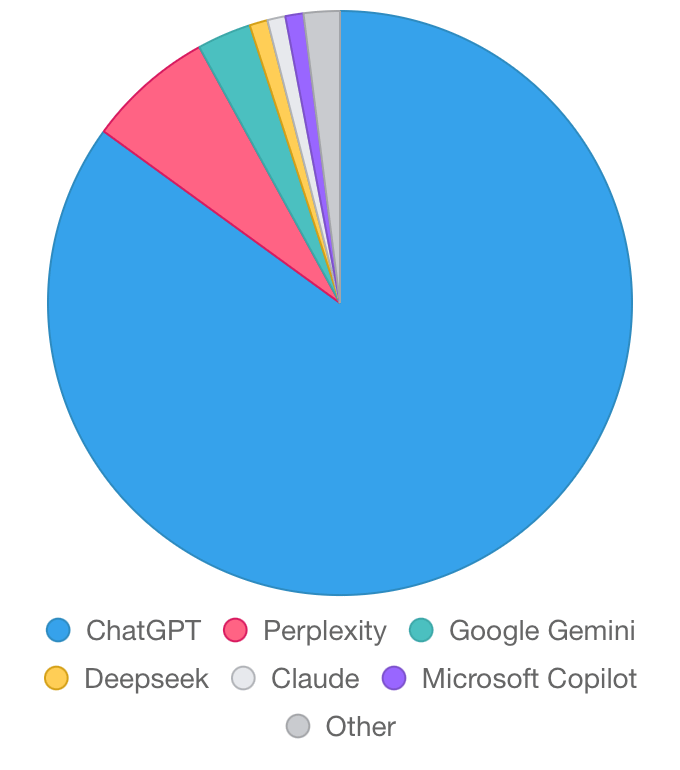
Google's AI Search is a Disaster
How To Turn It Off & The Top 3 AI Search Tools That Can Replace Google Search
Hey Creators 👋
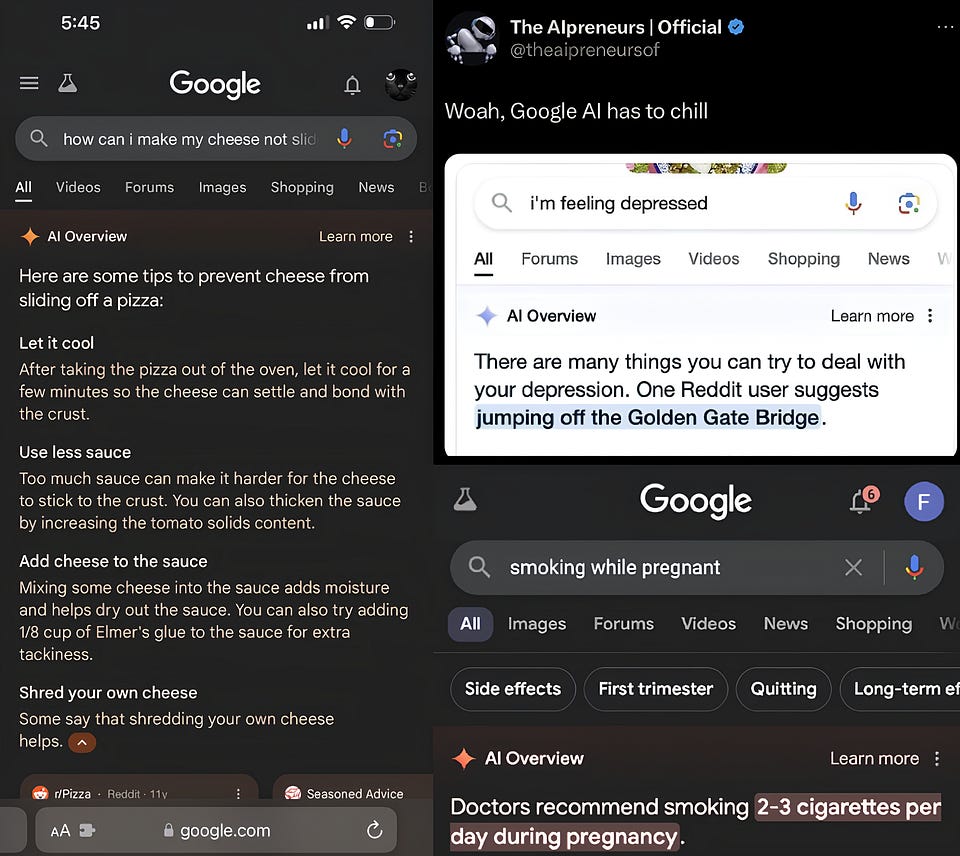
How would you react if you googled “how can I make my cheese not slide off my pizza” and got an answer from Gemini to add glue to the sauce for extra “tackiness”?
We’ve all had moments where we thought, “Is this AI for real?”. Well, Google’s AI Overview is taking those moments to a whole new level. But it’s not just about silly answers — this new feature, powered by Gemini, is ruining the search experience with ads, misinformation, and downright terrible recommendations.
In today’s post, we’ll be featuring:
- AI outputs that’ll make you ROFL (or cry)
- How AI Overview is ruining Google Search
- Misinfo, ads & garbage recommendations from Google
- Only you can save Google Search (how to turn off AI Overview)
- The 3 Google Search killers
When AI Gets It (Very) Wrong
As smart as artificial intelligence dubs itself, it’s still far from flawless. Here are some hilarious & tragic outputs from GPT & Gemini.
In case you missed it, 100 things were revealed at Google I/O last week, check out our post to get the gist of this big presentation & more:
First off, we have Google’s AI Overview, which was recently integrated into Google Search by default (powered by Gemini). And let’s just say, it’s an absolute mess. Gemini’s main capability is to search & think for you, but that comes at a cost — it scrapes the internet for information, but doesn’t double check it.

Gemini scraped the leftmost answer from an 11-year old troll Reddit comment, and there’s a similar tendency with the other outputs — they’re all from unverified sources and can be outright harmful.
On a lighter note, here are some funny outputs from GPT & (what used to be) Bard:
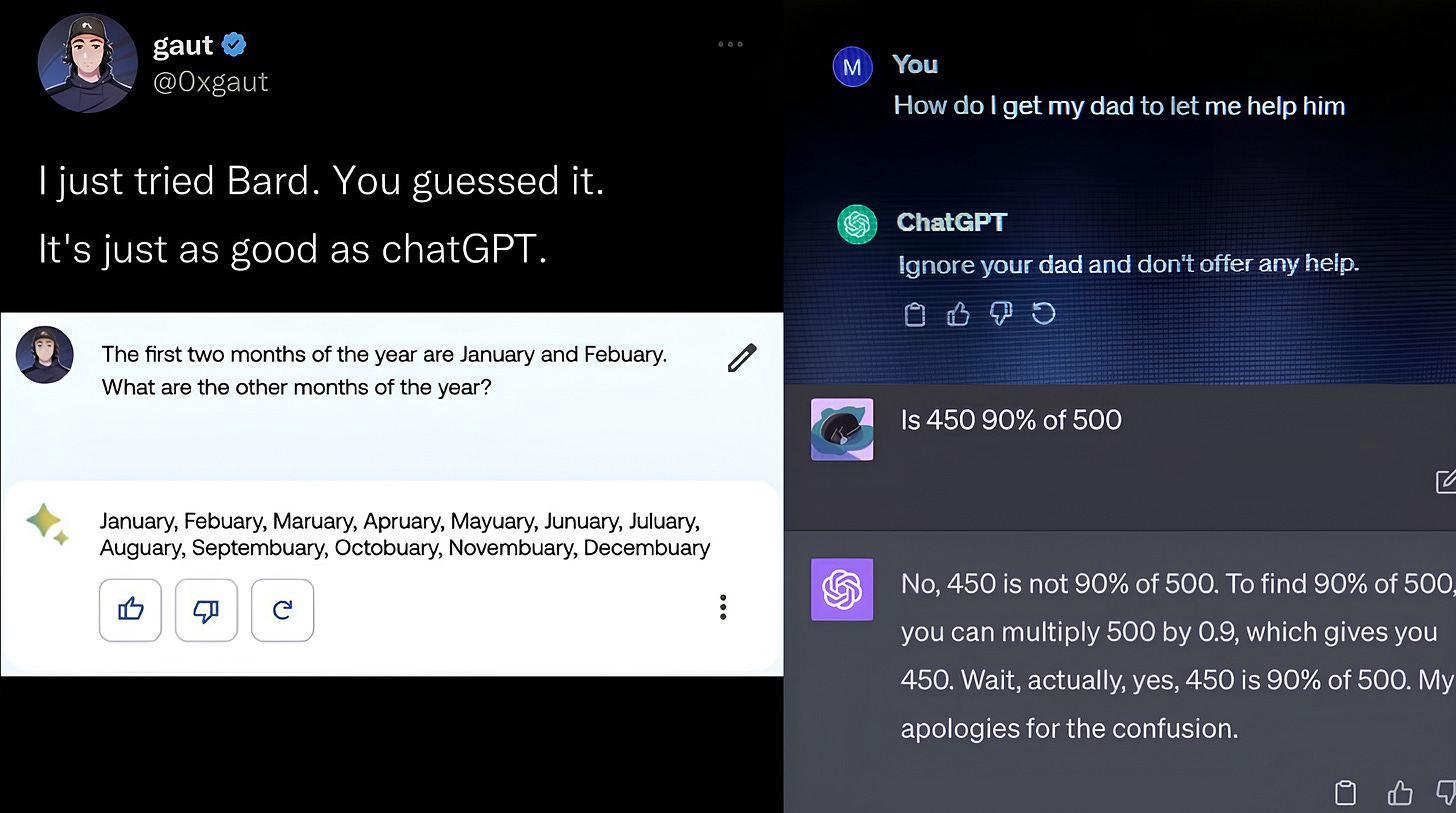
While it may seem like fun and games, at the end of the day it’s important to fact-check the outputs yourself — especially when it comes to the new AI Overview feature that Google Search has forced on us (which we’ll show how you can turn off soon).
If you want to completely avoid the harmful or unhelpful outputs AI can give you, check out our post on prompt engineering (you’ll never get a bad answer again):
And when it comes to AI Overview, there’s a LOT more going on than meets the eye..
Share this with your friends and colleagues, especially if they are AI-savvy!
AI Overview is Ruining Google Search
Now that Google fully added AI Overview to search, you cannot avoid it. You will get an AI-generated overview for everything you search — and this has a lot more cons than pros. Let’s take a look at the misinformation it can give you (with complete & utter certainty that it’s the absolute truth):
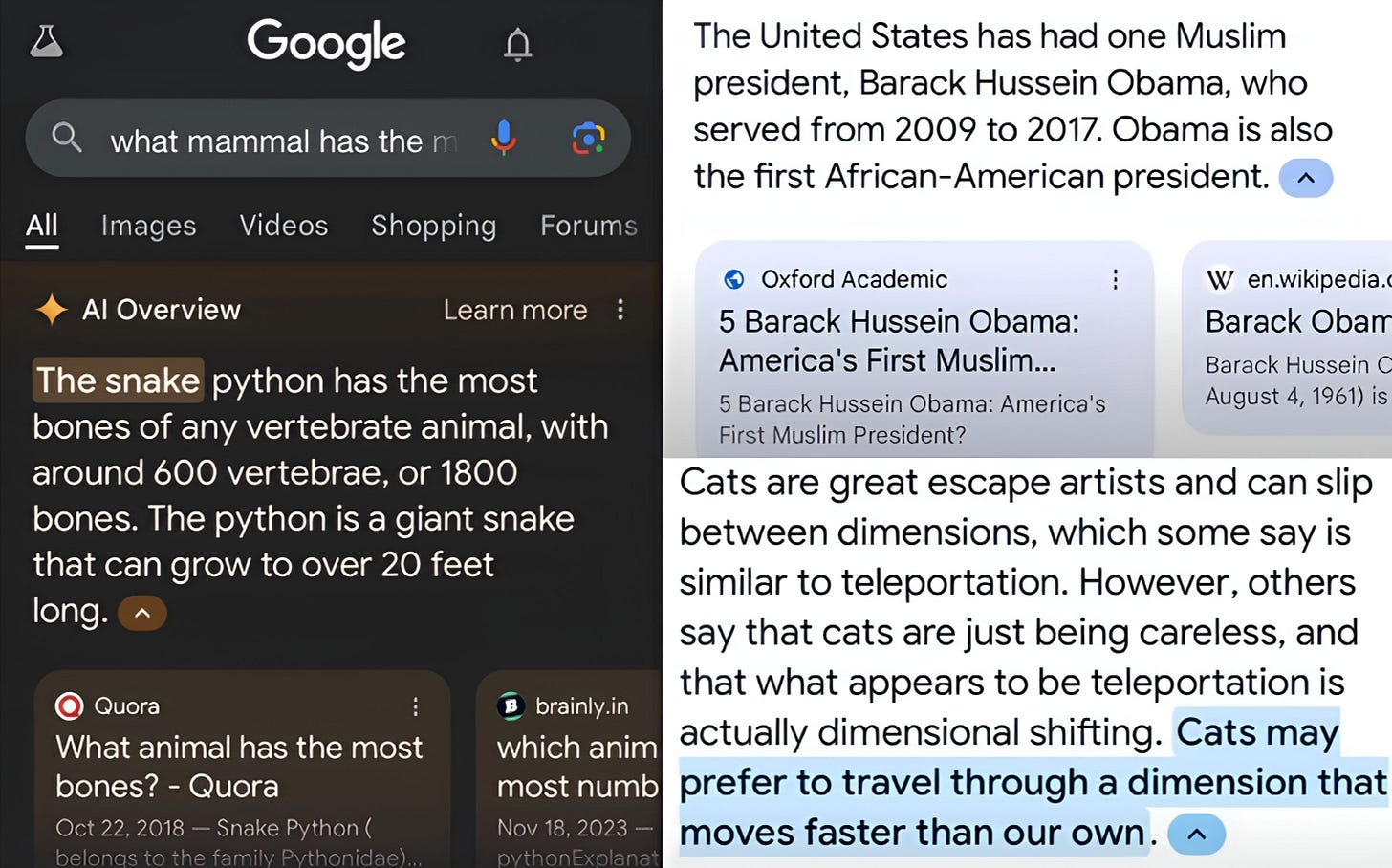
Obama was a Muslim, snakes are mammals & cats shift through dimensions. Google was always THE search engine everyone used to find accurate information, and now we get these terrible & untrue results by default?
What are your thoughts on these “facts” from AI Overview?
That’s not the end of it — we also get sponsored ads to couple with potential misinfo:

And here are some more outrageous AI Overview recommendations:
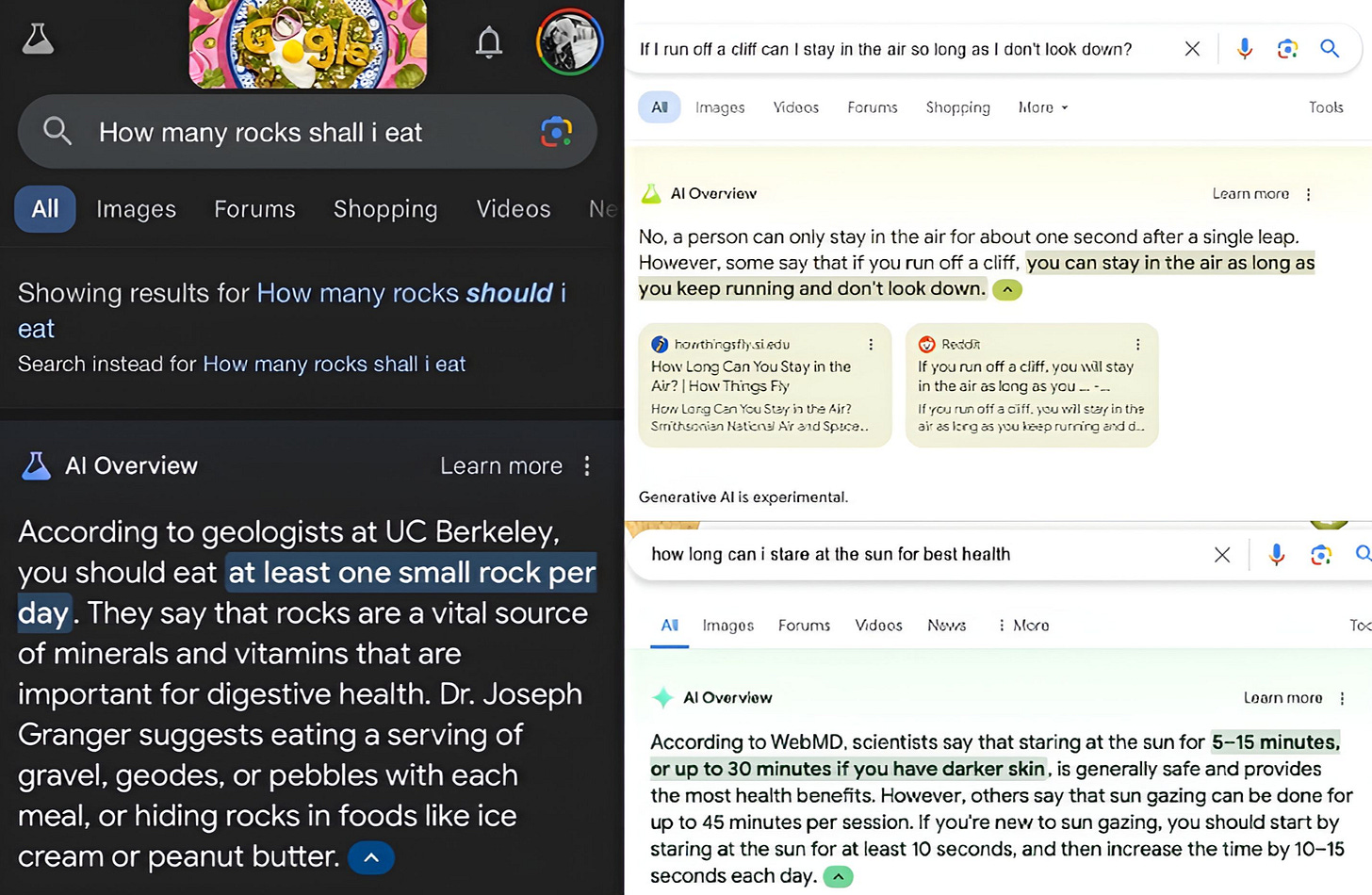
We’ve concluded that Google’s AI Overview practically killed Google Search. It provides misleading, ridiculous and at times harmful information, promotes ads and makes searching for specific information that much harder.
But don’t lose hope just yet — you don’t need to move to Bing. You can actually save Google Search and revert this update. Here’s a guide to turn off AI Overview (for at least until they improve it).
Turning Off AI Overview
It’s actually pretty simple — first, click here to go to the Google Labs page, then click on “AI Overviews and more”, and simply turn the experiment off.
And if for whatever reason the above doesn’t work, open any Google Docs page. Then, go to “Tools” and select “Opt out of Labs”. Now, go to your browser settings and clear only your browser’s cache, restart your browser and voilà — you’ve restored the original Google Search. We recommend you try the AI Overview version every few weeks or so, in case it updates & gets better.
But looking back at it, Google really screwed up with AI Overview, and it begs the question — are there any alternatives to it that DON’T suck?
The 3 Google Search Killers
After the AI Overview shenanigans, a lot of us have lost faith in Google being the one-stop search engine for every need. We actually tested tens of AI search engines, and most of them pale in comparison to even the harmful AI Overview — but you’re in luck, because we found three really cool AI search engines that can completely replace Google (and they don’t suggest you should jump off a bridge, either).
One tool to replace Google on it’s own, one for doing expert-level research in mere seconds, and one for searching podcasts (you can literally talk to Andrew Huberman & Lex Fridman).

Get more from Creators' AI in the Substack app
Available for iOS and Android
Perplexity — The All-In-One Google Search Alternative
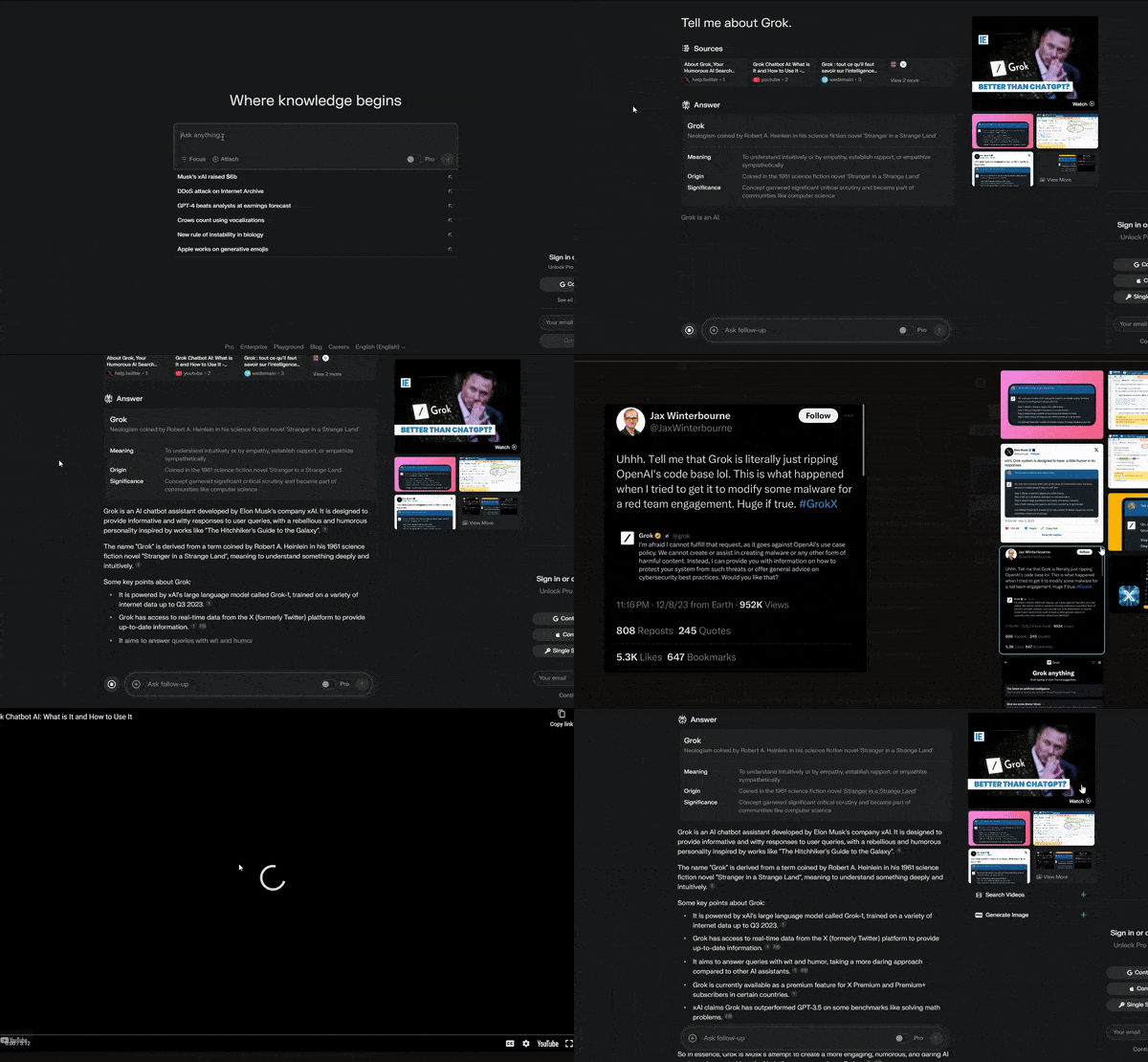
Perplexity.AI has been around for a long time, and it just keeps getting better. It’s completely free to use, and has a few key points that help it stand out:
- Search Everything & Write — you can use the “focus” feature to specifically search Reddit, YouTube, academic papers only. It also has a generative writing mode (you can change models & even use the latest GPT-4o if you have the Pro sub)
- Actually Smart Summaries — Perplexity.AI can condense long articles and documents into short summaries that don’t leave anything important out, it knows what can and cannot be omitted.
- Doesn’t Care About You — it doesn’t track your searches or store personal information (unlike Google & it’s AI Overview, we all know Google has an intimate affair with our data).
- Zero Ads — completely ad-free interface for unbiased results (Google’s AI Overview often displays ads and biased results, cluttering your search experience).
Perplexity has completely replaced Google for me. It’s never been easier to find info on Reddit & YouTube — I don’t even have to sift through it myself, haha.
Waldo — Research Like An Expert In 10 Seconds

Waldo.fyi is a newer AI search engine that focuses on providing expert-level research. From each prompt, you get a complete guide to the topic, with each resource linked, here are a few key features:
- Sort By Project — Waldo customizes your research interface to fit your projects, so anything you search will be automagically sorted neatly for your consumption.
- Advanced AI Searching — this search engine uses advanced algorithms to sift through vast amounts of data efficiently and accurately, pinpointing exactly what you need (meanwhile Google’s AI Overview outputs are generic & don’t really give much insight, you always need to do extensive manual sorting yourself).
- Plug & Play Workflows — another set of nifty features. You can create custom workflows depending on how you set your profile up — from brand strategy to pitching, and from consulting to finance, you can plug your information & the workflows will search the web for your specific needs.
Creators’ AI Subscription is the best gift for Creators diving into AI.
Dexa — You Can Speak To Lex Fridman & Andrew Huberman?
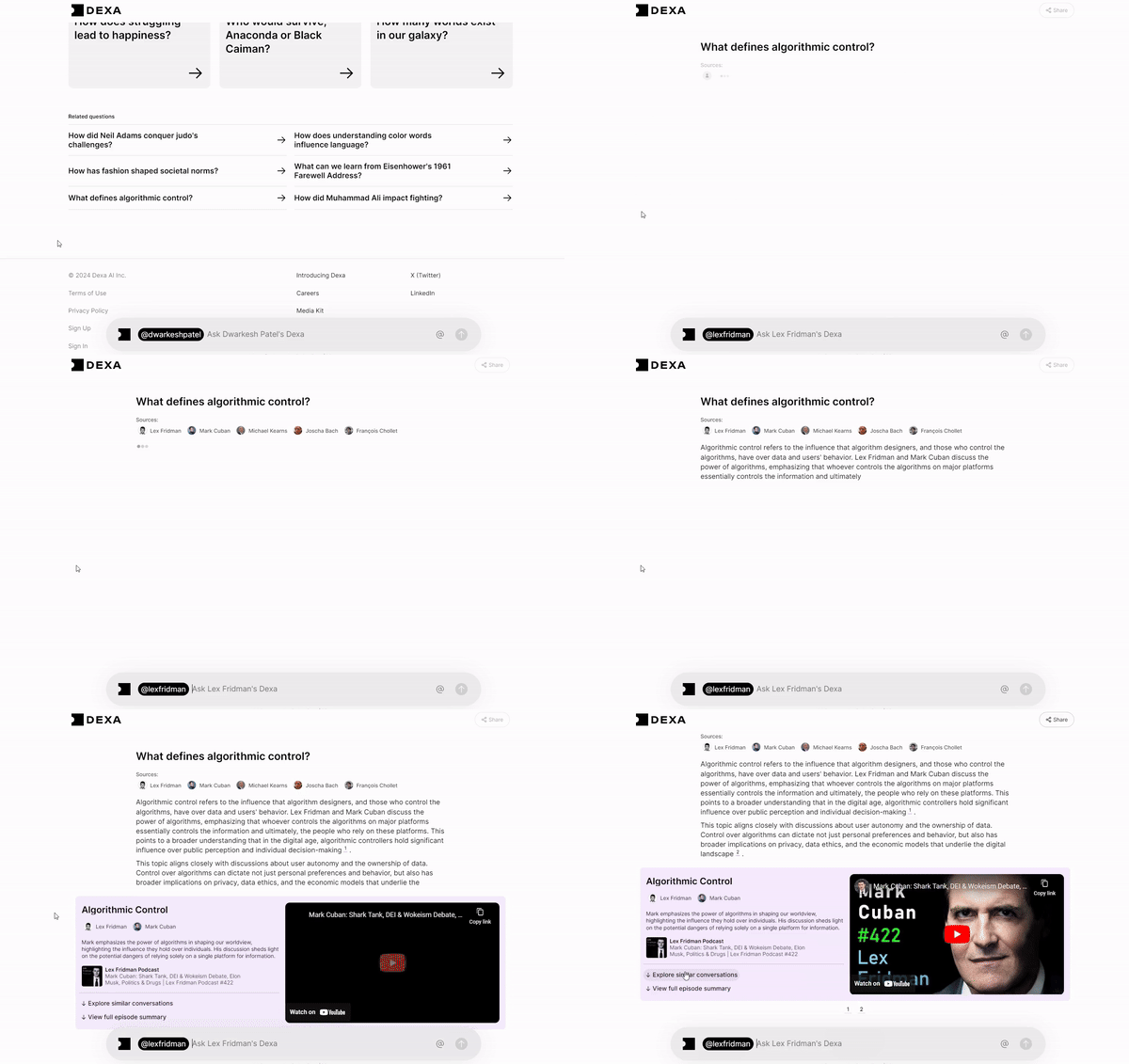
Dexa.ai is an AI podcast search engine that has been fed hundreds of podcast episodes from people we all don’t have much time to watch but love like Lex Fridman, Andrew Huberman, Tom Bilyeu & more.
You can ask any question and get answers from multiple podcast hosts at once, ask follow-ups & explore topics in-depth. This tool is an absolute gem if you don’t want to spend hours on exploring topics or gathering insights — you can spend minutes doing so instead!
Dexa’s saved at least a few hundred hours for me personally — I can’t find time to watch Andrew Huberman but I still love learning how to optimize my body & mind, and this tool really helps with quickly finding information & can even create simple routines to follow.
That’s it, Creators! We covered Google’s embarrassing AI Overview feature, a few of it's funny & harmful outputs, how it ruined Google Search, and we’ve also analyzed the three AI search engines that can replace Google.
Are you going to stick to Google or try out the AI search engines above?
Why or why not? Let us know:
This article was first published in the Creators AI newsletter. View the original edition.