Sora 2 Tutorial & Review
Our Review & some tips + codes inside
Hello folks!
AI video models are already baked into consumer tools, advancing their physics, motion, and camera control. And OpenAI has just added another one to the collection with Sora 2. It is an upgraded text-to-video model that can now generate 20-second and 1080p videos with synchronized audio, including dialogue, sound effects, and music, already used as a meme producer.
The week’s spotlight magnet is the namesake Sora 2 app, based on OpenAI’s new video model — currently the No. 1 free app in Apple’s US App Store, solely based on AI-generated content. In this tutorial, we will explore its core, features and how to generate a video.
So let’s get into it.
You could miss our other tutorials about AI video models. Click, if you want to know more:
How does it differ from the original Sora (1)?
Actually, it is a big leap from the first model. In the early Sora 1 days, users had to get creative by adding sound through third-party tools, while the model itself often casually bent space and morphed objects.
The official announcement introduces us:
- Better realism and world simulation: Sora 2’s grasp of physics is noticeably advanced. All this means that objects bounce off surfaces and fall with acceleration in the same way as in real life, as well as water splashes with a natural flow and drops.
- Audio is on: the model is presented as a video-audio generation system that can also create audio components such as background soundscapes, dialogue, and sound effects that make scenes feel alive, but it is still not perfect.
- Capable of simulating failure: it no longer cheats success. People stumble, balls miss the hoop, and papers scatter across the floor. Sora treats imperfection as part of reality, not a glitch in it (both promising and quite unsettling).
These upgrades are not new in the industry. Previously, similar features appeared in models like Google Veo3, but it is definitely a next step for AI creators.
Features
Sora 2 pushes the boundaries of AI video production and carries enormous viral potential. Especially with its new app, which opens up a whole new range of storytelling possibilities, stepping right into TikTok’s backyard.
Talking about virality, Sora 2 might turn some important heads — “I asked SORA 2 to create a 90s Toy Ad for Epstein’s Island”
Let’s make Cameos?
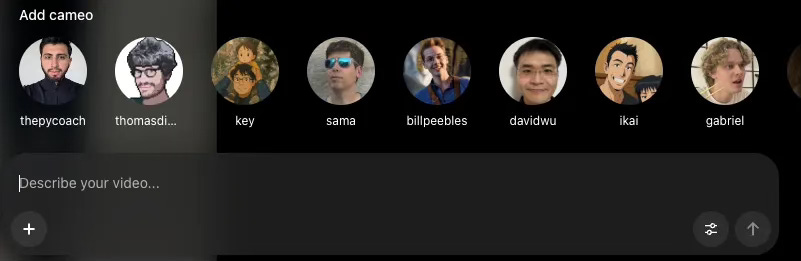
Cameos are Sora’s headline feature, and it’s on the verge of deepfake tech and digital identity management. Users can scan themselves once to create an avatar, preferably on a clear background, without glasses or hats, and then insert their likeness and voice into any AI-generated scene. In any case, the video can be re-recorded at any time. From there, you can star in your own AI-generated scenes or your friends can remix you into theirs.
It’s a breakthrough feature, but one that also opens the door to thorny questions about consent and digital identity.
(A)I am social
Sora 2 is literally using all the mechanics of a social network. People can like, remix, repost, or follow other creators. The feed itself is personalized, but OpenAI says they’re not optimizing for watch time. Instead, they claim it’s tuned to maximize creation and added well-being controls, including daily generation limits for teens and parental overrides via ChatGPT.
K*eep your mailbox updated with practical knowledge & key news from the AI industry*!
It also has a “remix” feature that works like TikTok’s stitches or duets, but instead of recording yourself, you simply tweak the original prompt and Sora re-generates the video in a new setting.

It’s certainly a milestone in mastering large-scale video training, both pre and post. Still, there are a few nuances worth noting. But now it’s an app designed to to be viral. Few details:
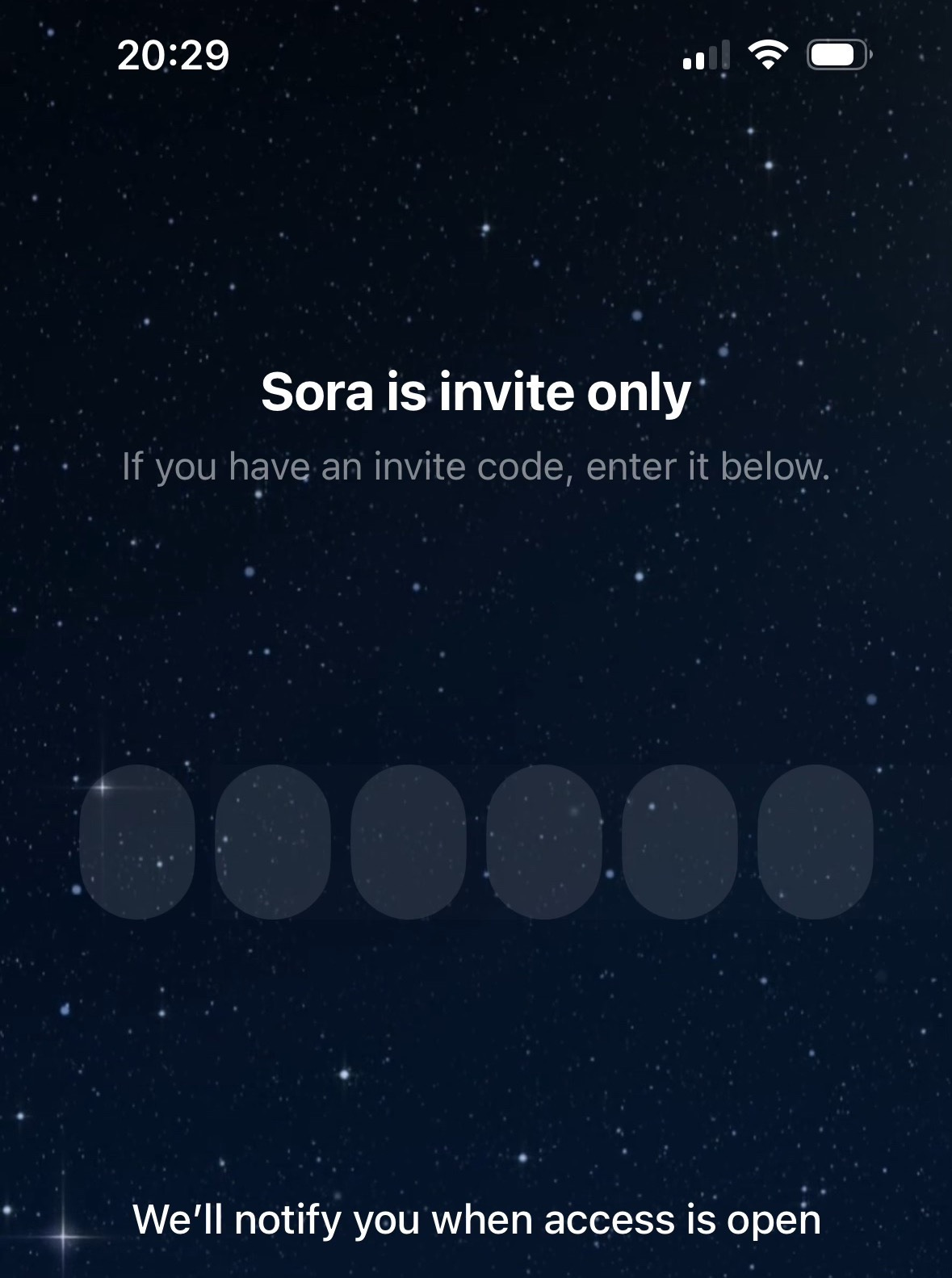
- Sora 2 is an invite-only app, following four friends per user.
- So far completely limited to the United States and Canada
- Videos are capped at 20 seconds, generation slots are limited, and it’s all built for casual use, not pro workflows, so for now, it is not for business use.
Sharing is caring! Refer someone who started a learning Journey in AI!
How to get free access to Sora 2
- You can use the model on the web. This version allows you to create videos directly from your computer and study detailed prompts. Or it works classically through the iOS app — but in both formats, only if your App Store region is set to the U.S. or Canada. Are you there now? Perfect! In other cases,
- Change your App Store location
- Use VPN
- To get in, you’ll need a six-digit invite code. Now they are flying around everywhere. These codes sometimes appear in Telegram channels, under YouTube videos about Sora 2, and in Reddit threads. Each code can be used by up to four people. The Sora team occasionally drops new invites in the official OpenAI Discord community.
GOOD NEWS! 😜 We can share a few invite codes with you (Leave a comment if you need one or reply to this email. Only for Paid Subscribers!
What is the difference: Sora 2 vs Veo 3 vs Kling vs Runway Gen‑3?
To compare the main AI video models, we made a board.
Upgrade Subscription to read more from Creators’ AI
Become a paying subscriber of Creators’ AI to get access to all our content, 180+ editions, and a directory of 3000+ AI Tools
!function(){"use strict";window.addEventListener("message",(function(e){if(void 0!==e.data["datawrapper-height"]){var t=document.querySelectorAll("iframe");for(var a in e.data["datawrapper-height"])for(var r=0;r<t.length;r++){if(t[r].contentWindow===e.source)t[r].style.height=e.data["datawrapper-height"][a]+"px"}}}))}();
Each of them has its own pros and cons, as their creators admit, so use them depending on your needs, because your creativity doesn’t depend on the app you choose.
Sora 2 presents impressive improvements in dialogue generation. The model does not require a detailed script for dialogues and for building scenes (smooth operator), and also has improved abilities for processing complex promptings.
Veo 3 follows the promptings step by step, and also creates a cinematic effect, albeit not with such perfect physics as Sora 2.
Kling is the most accessible without invitations. It provides a free plan with daily credits, but every video will end up with a watermark.
Runway Gen-3 offers API access and an Explore mode where Unlimited plan users can create as many clips as they want. In Gen-3 mode, videos are usually capped at around 10 seconds, and longer scenes need to be extended using the Extend feature.
Free limits
Users say Sora currently caps free accounts at around 100 videos per day, with additional limits based on credits or quotas. Also, you can save only 3 videos per day.
Prompts and videos
OpenAI introduced several examples of what Sora can do. From dreamy animations and cinematic shots to original stunts and fantastical creatures. The demos range from Studio Ghibli-style scenes to lifelike sports clips, showing just how broad the model’s visual imagination can be.
For example, prompt: in the style of a studio ghibli anime, a boy and his dog run up a grassy scenic mountain with gorgeous clouds, overlooking a village in the distant background.
You can create your own Cameo in the app (one per account). Depending on your privacy settings, it can be used by everyone, by selected users, or only by you. In the web version, generation is currently limited to other available characters.
A list of public Cameos can be found through the search bar. You can also visit a user’s profile and tap Cameo to create a video featuring them.
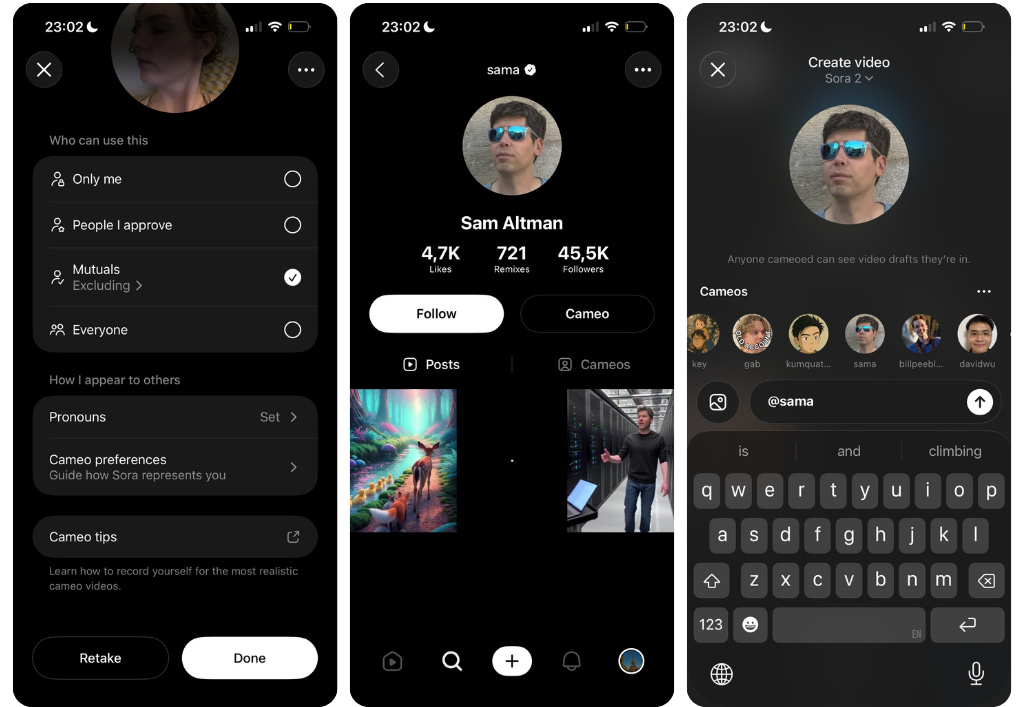
So that’s how it works — just put your text inside and let’s roll!
It looks very realistic, especially the hands covered with white powder (no additional fingers). If you noticed, the model even added small body swings to sway before crawling up.
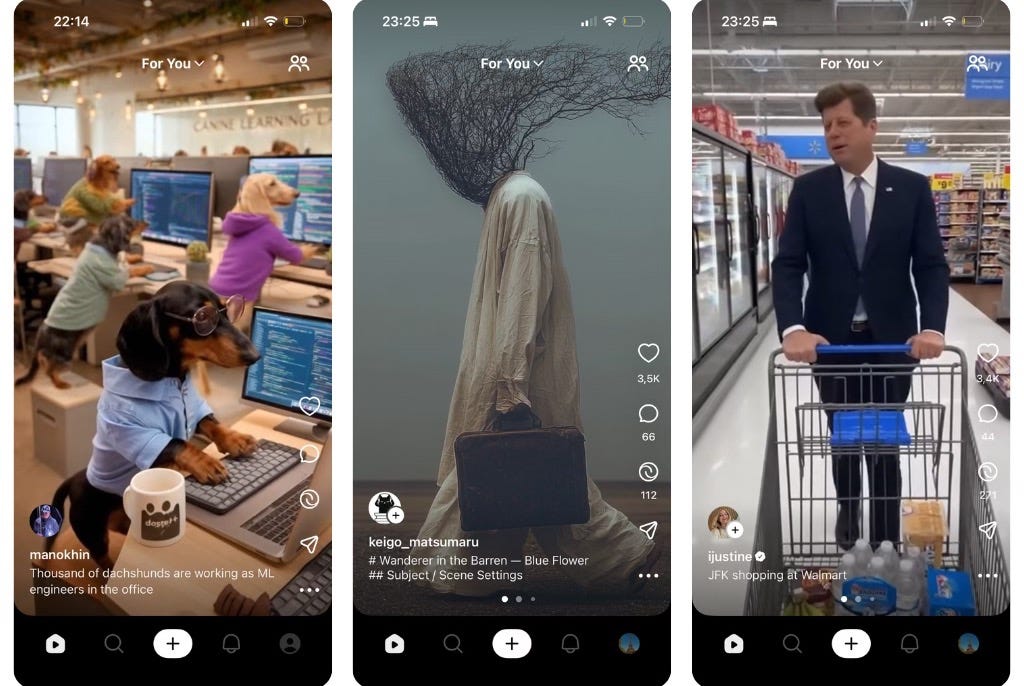
Here are some more examples of what people generate in the service (yes, it’s Kennedy).
Conclusion
Do not expect to see any actual human faces in this application — it’s another chapter in the evolution of AI-generated creativity. From “Ballerina-Cappucina” to a real shift of generative video to consumer apps, embedding frontier AI into everyday social media culture.
This article was first published in the Creators AI newsletter. View the original edition.