I rebuilt my OpenClaw setup on Hermes + GPT-5.5
How I run 2 businesses from Telegram + Hermes Migration Guide
The agent that actually runs my two businesses, in one Telegram chat. And how to move over if Anthropic stranded you too.
Hey! Welcome to the latest Creators’ AI Edition.
Most “AI assistant” posts start with “I use ChatGPT to write emails.” Boring.
Mine starts with this: in March, I had a working OpenClaw setup running on Claude Pro. Memory, skills, Telegram, the whole stack. Then Anthropic killed the subscription-based usage path that made OpenClaw cheap, and my $25/month agent suddenly priced itself toward $500+ on metered API calls. I shut it down.
4 weeks later I’m running the same workflows (eight of them) through Hermes Agent on a $5 VPS, pointed at my $20 OpenAI subscription and GPT-5.5. Same Telegram chat. Same persistent memory. Cheaper. Faster. And honestly more polished than what I had on OpenClaw.
This post is the migration. Not “what is Hermes”. Peter Yang’s Race to Build a Personal AI Agent already covered that. This is what it looks like to run two businesses through it for a month, and how to move over if you’re stranded too.
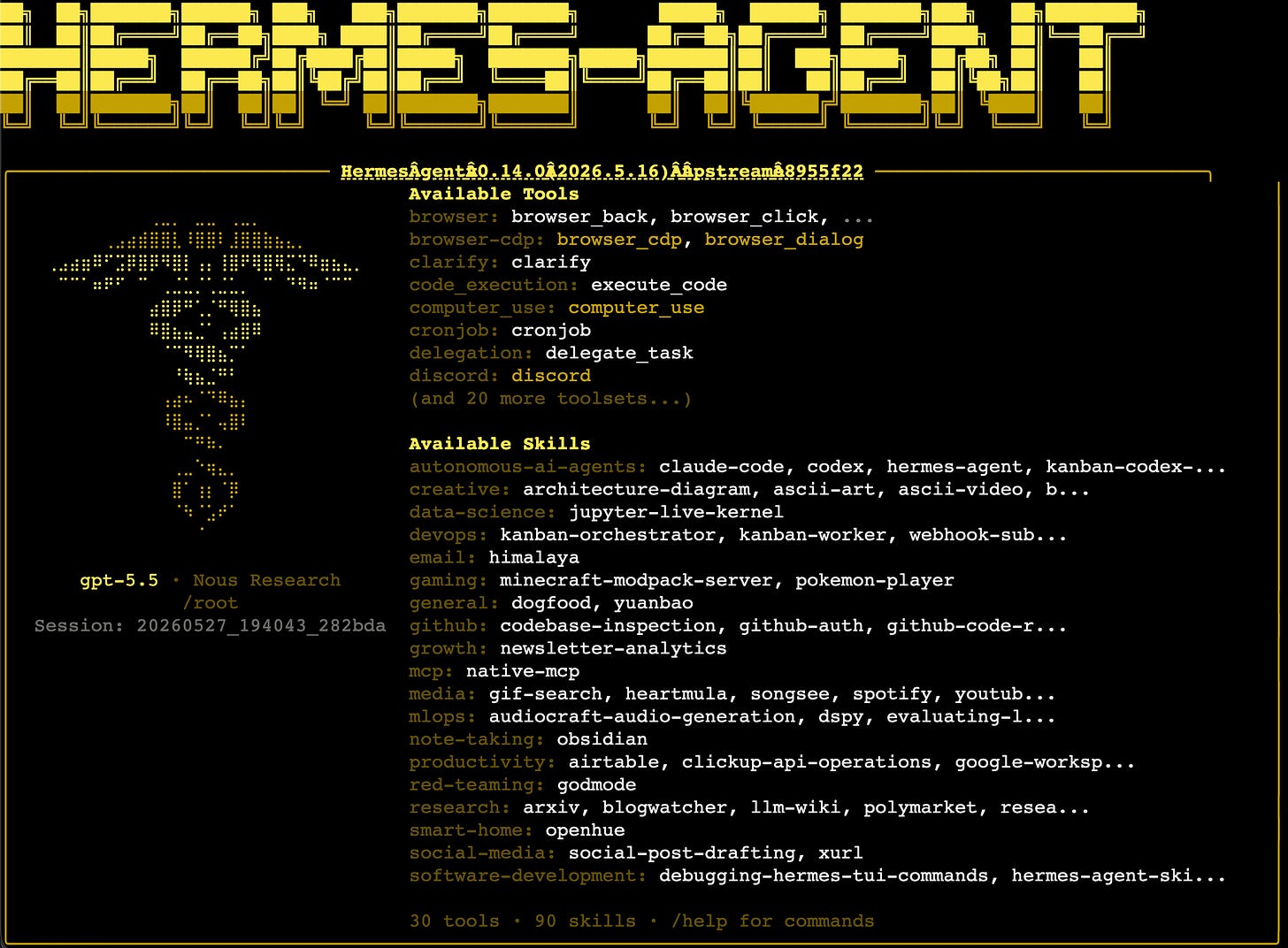
By the end you’ll have my exact stack, the migration path from OpenClaw, and the trust boundaries I drew so you don’t have to learn them the expensive way.
Who this post is for
Two reader profiles. Pick yours.
Profile A: You tried OpenClaw, and it never clicked. You installed OpenClaw/Moltbot/Clawdbot back in February/March, hit a wall on setup, OAuth, or skill authoring, and bounced. Hermes solves most of what frustrated you out of the box. The skill-authoring loop in particular is the unlock. You don’t write skills. Hermes watches you and writes them.
Profile B: you ran OpenClaw on Claude Pro and got stranded. You had it working. Anthropic changed the subscription terms and your cost model collapsed. You’ve been running half-broken cron scripts ever since while you figure out what to do. The Hermes + GPT-5.5 path is what I built for exactly this situation. The migration takes about a weekend.
Profile C: you have no idea what is OpenClaw and Hermes but you heard its hyping
All profiles land in the same place: a working operator-grade agent in Telegram, on a $5 VPS, with a $20/month model subscription. The path there is just slightly different.
Make sure you are aware of what is actually important in AI beyond the hype
The reframe: chatbot vs. work OS
This is the most important paragraph of the post. If you don’t shift here, the rest won’t land.
A chatbot is a thing you go to when you have a question.
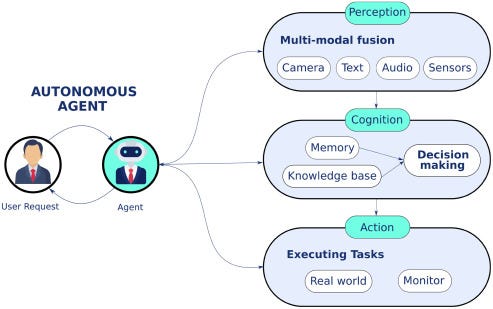
A work OS is a thing that knows your projects, watches your day, talks first, and runs work while you do other things.
Four ingredients of a work OS:
- Memory. It knows your projects, priorities, style, who’s who in your business.
- Tools. It can actually do things (read your task system, write to your knowledge base, draft emails, call APIs). Not just describe doing them.
- Automations. It acts on schedules and triggers, not only when you ping it.
- Agents. It can spawn sub-agents for parallel work (research + code + content at the same time).
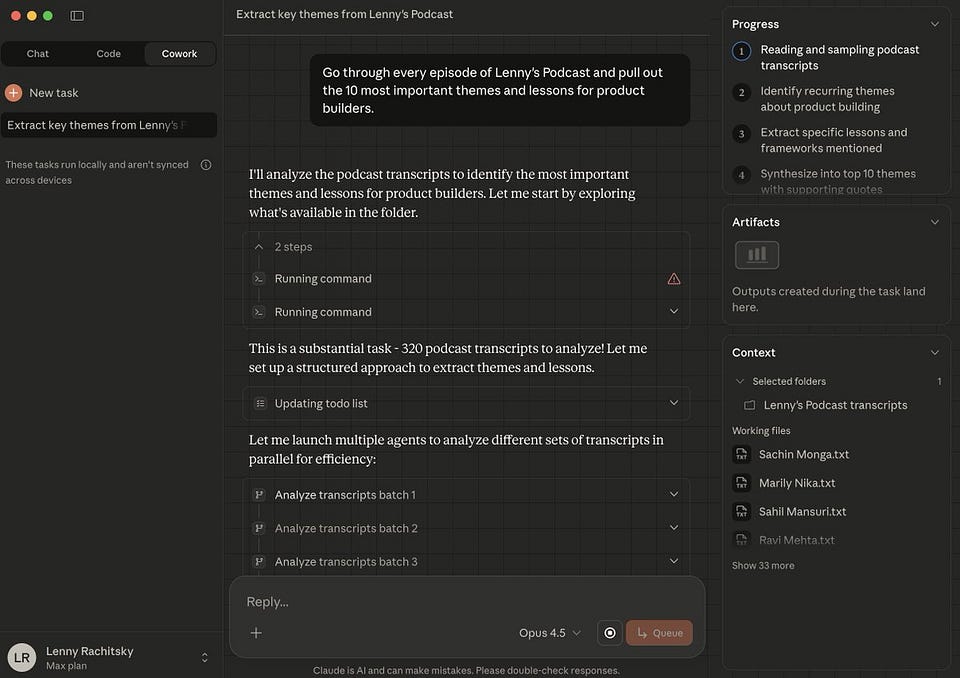
Hermes is the first thing I’ve used where all four actually compose cleanly. OpenClaw composed three of the four, and the fourth (multi-agent) was always a duct-tape project. Claude Cowork has tools and memory but lacks the runner and the multi-agent layer.
The bet of this post: a personal AI operator that lives where you already live (Telegram), knows your business, and runs on cheap infrastructure replaces 3-5 SaaS tools and 5+ hours per week.
Share this with people who are pessimistic about Agents, they may chnage their mind
Why I switched: the OpenClaw breakage in one paragraph
OpenClaw’s economics depended on Claude Max (I used $100 plan) plus a $5 VPS (about $125/month all-in), as we covered in the OpenClaw ecosystem post.
The reason it was depended is using any other model made it dumb. idk why 🤷♂️
When Anthropic moved subscription-based agent usage behind API metering, that math broke. A typical day of agent work (three research jobs, a content draft, two coordination runs) chewed through what used to be unmetered Pro usage. My March bill on metered tokens hit $187. The agent was doing the same work. The pricing model underneath it shifted.
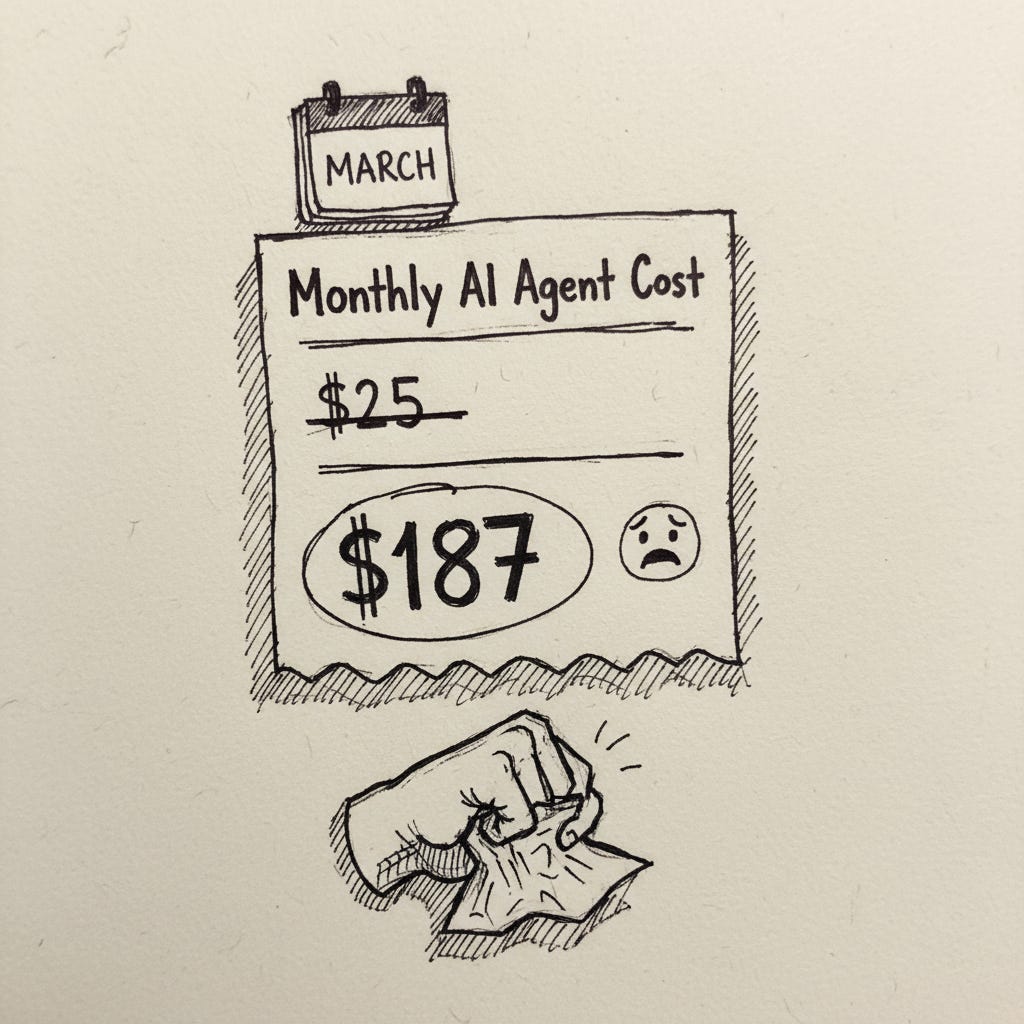
I’m not litigating Anthropic’s decision here. They’re allowed to change their terms. But the practical effect for solo operators running OpenClaw was that the cheapest “always-on personal AI” setup stopped being cheap.
Hermes is open-source (MIT license, Nous Research), self-hosted on the same $5 VPS pattern, and model-agnostic. I point it at my OpenAI subscription. GPT-5.5 handles the operator role fine. Better than I expected on tool-use reliability. Monthly cost: $20 OpenAI + $5 VPS = $25. Same as old OpenClaw, with a runner that doesn’t depend on any one model lab’s pricing decisions.
My 8 workflows running today
Concrete. What it does, what it replaces, what it saves me.
1. Memory layer: Hermes knows my businesses
It remembers: my agency’s sales-to-delivery cycle & ClickUp tasks, the Creators AI audience and content plan, Substack Notes posting, my calendar rhythm, personal tasks (flights, shopping) and my tone of voice ofc (how I speak with people and write content)
Result: I never re-explain context. “Draft a follow-up to yesterday’s call with [client]” and it knows the client, the call, and how I sign off.
Time saved: ~30-60 minutes a day in context re-loading in ChatGPT/Claude.
2. Single entry point for all task systems
Hermes is wired to my task tracker (agency tasks), Google Calendar, work chats, and Notion (notes + plans) + it has it’s own email where I forward messages.
I ask in Telegram. It pulls from the right tool. No window-switching.
Example: “What’s overdue in the agency sales pipeline plus what’s on calendar tomorrow?” → one Telegram reply with both.
Time saved: ~30 minutes a day of tool-hopping. + a lot of my personal context window
3. Weekly planning across all 3 tracks
Every Sunday evening: Hermes drafts the week. Agency goals, newsletter publishing slots, personal.
It cross-references task progress, calendar density, and last week’s deliverables. I edit. Hermes commits the final to Notion.
Time saved: ~60 minutes a week. The cut isn’t from less planning. It’s from less copy-paste between systems.
4. AI coordinator for the agency
It has transcripts of all my calls and gets all my tasks assigned to me by my team.
Sales conversations get logged, summarized, tagged for follow-up.
Ops tasks (client onboarding, recurring deliverables) flow through Hermes as the dispatcher.
Agentic processes (research → draft → review) get assigned to sub-agents when needed.
Time saved: ~5 hours a week across the team. The reason it’s so high: it removed three coordination meetings.
More on this in our edition from January
5. Content engine for the newsletter
Ideas land in a Telegram message. Hermes captures, tags, links to related notes. Research jobs (”trendwatch new tools for Agentic Commerce”) run as background tasks (Brave API for scraping the internet). Results show up in Telegram and save to GitHub (I use it instead of Obsidian). Drafts get a voice-pass against my last 5 posts.
Time saved: ~3 hours a week, mostly in the ideas → research → outline chain.
Here we shared how to turn on the content engine for the newsletter
6. Coding and project sessions
Hermes reads my repos. It analyzes Claude Code session progress, points out stalled tasks, suggests what to tackle next.
The bridge: I run Claude Code locally for vibecoding. Hermes is the meta-layer that watches the project pulse.
Time saved: ~2 hours a week on “where was I?” context-switches between repos.
7. Automatic briefings
- 8am: morning brief in Telegram. Calendar, top 3 priorities, anything that broke overnight.
- 6pm: evening wrap. What shipped, what slipped, what to handle first tomorrow.
- Mid-day pings on anything time-sensitive (a client message that needs a same-day reply, a calendar conflict).
Time saved: doesn’t show up as hours. Shows up as fewer dropped balls.
8. Research on demand
Find 3 alternatives to [tool], compare on [criteria], summarize.Runs in the background. Output is a one-screen Telegram message plus a GitHub Gist with the long version.
Time saved: ~2 hours per research task. I run 2-3 a week.
OpenClaw vs Hermes: the honest comparison
I still run OpenClaw for two specific things: long-running scrapes and a couple of Apollo workflows where Hermes’ OAuth flow doesn’t yet play nice. So this isn’t “Hermes beats OpenClaw.” It’s “Hermes is the right layer for the operator role. OpenClaw is the right layer for headless heavy lifting.”
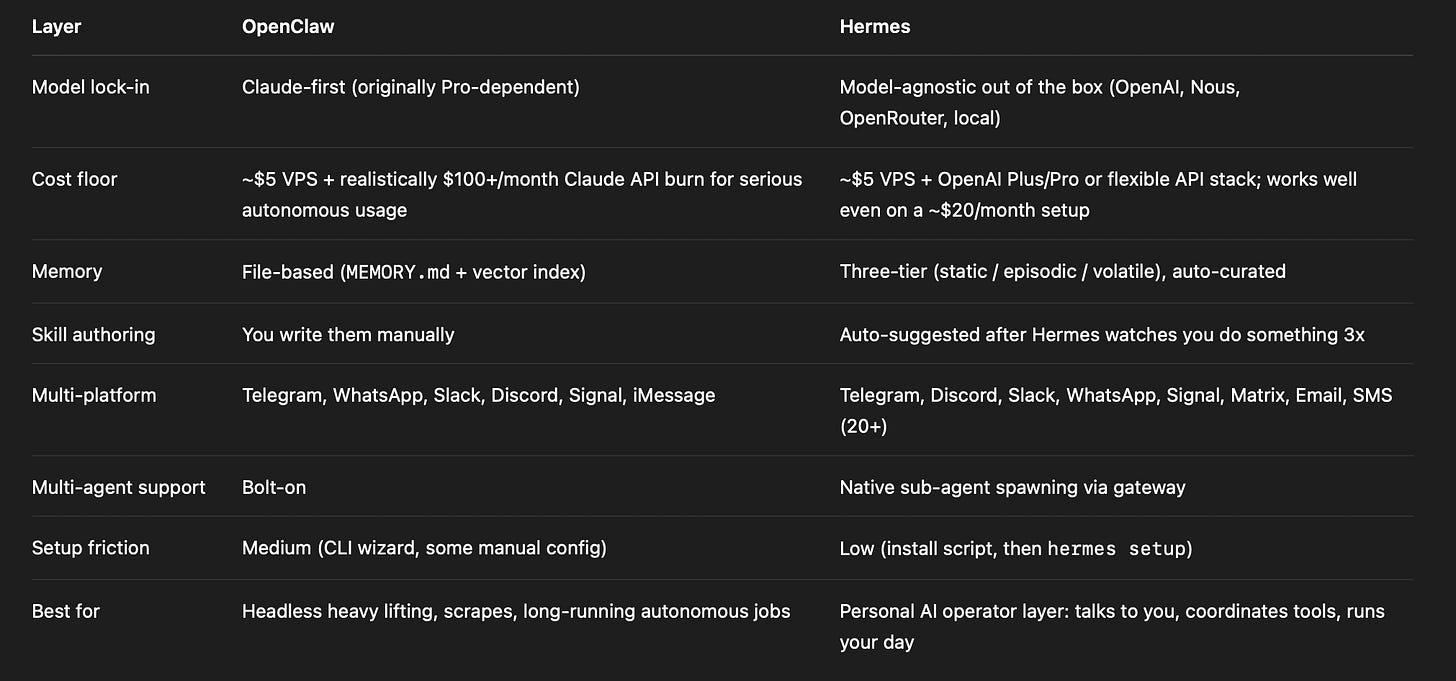
The skill-authoring difference is the one that mattered most to me. On OpenClaw, I wrote every skill from scratch. On Hermes, about 60% of my skills were surfaced after Hermes watched me do the same thing 2-3 times. It offers, I edit the prompt, save. About 30% I wrote from scratch (the business-specific ones). About 10% I imported from OpenClaw via the migration CLI.
The migration: 30 minutes from OpenClaw to Hermes
1) You tried OpenClaw and it never clicked (or you never tried OpenClaw)
Skip OpenClaw entirely. Go straight to Hermes.
- Step 1. Spin up the VPS. $5 Hetzner or DigitalOcean box. Ubuntu 22.04+ or WSL2 if you prefer to run locally.
- Step 2. Install Hermes. One curl command from the official install script. Then
hermes setupto point it at your model. - Step 3. Pick your model. I run GPT-5.5 via OpenAI subscription ($20/month). You can also point at OpenRouter (200+ models), Nous Portal, or a local model. The runner doesn’t care.
- Step 4. Connect Telegram. Hermes hands you a bot token flow. Two minutes.
- Step 5. Drop in the 3 memory files.
projects.md,voice.md,routines.md(more on this below). - Step 6. Wire one cron. Morning brief, 8am weekdays. Watch it fire for three days. If the summary is usable, green-light more.
Profile B: you ran OpenClaw on Claude Pro and got stranded
You have an asset Profile A doesn’t: a working memory file, a set of skills, and an OAuth-connected MCP stack. Don’t throw that away.
- Step 1. Spin up the VPS (same as above, or reuse the OpenClaw one if it’s clean).
- Step 2. Install Hermes (same).
- Step 3. Import your OpenClaw memory. Hermes has a migration CLI that reads OpenClaw’s
MEMORY.mdand vector index, then maps them onto the three-tier memory model (static/episodic/volatile). About 70% of what I had transferred cleanly. The other 30%, older context that wasn’t tagged well, I just deleted. Memory hygiene moment. - Step 4. Re-point your MCP servers. Same MCP URLs work in both. This is the MCP-as-API-2.0 promise actually paying off. Paste the URLs into Hermes’ MCP config, done.
- Step 5. Skills audit. Don’t import every skill from OpenClaw. Import the 5-10 you actually used last month and let Hermes auto-suggest the rest from your behavior. You’ll end up with a cleaner skill library than the one you had.
- Step 6. Cron migration. OpenClaw’s cron syntax doesn’t translate directly. Re-write your scheduled jobs as Hermes’ natural-language cron (”every weekday at 8am, summarize calendar plus top 3 task-tracker priorities, post to Telegram”). It’s better. Live with it for a week before you miss the old format.
That’s the migration. A weekend of work if you batch it. Two evenings if you’re patient.
The 3-file memory move (works in both Hermes and OpenClaw)
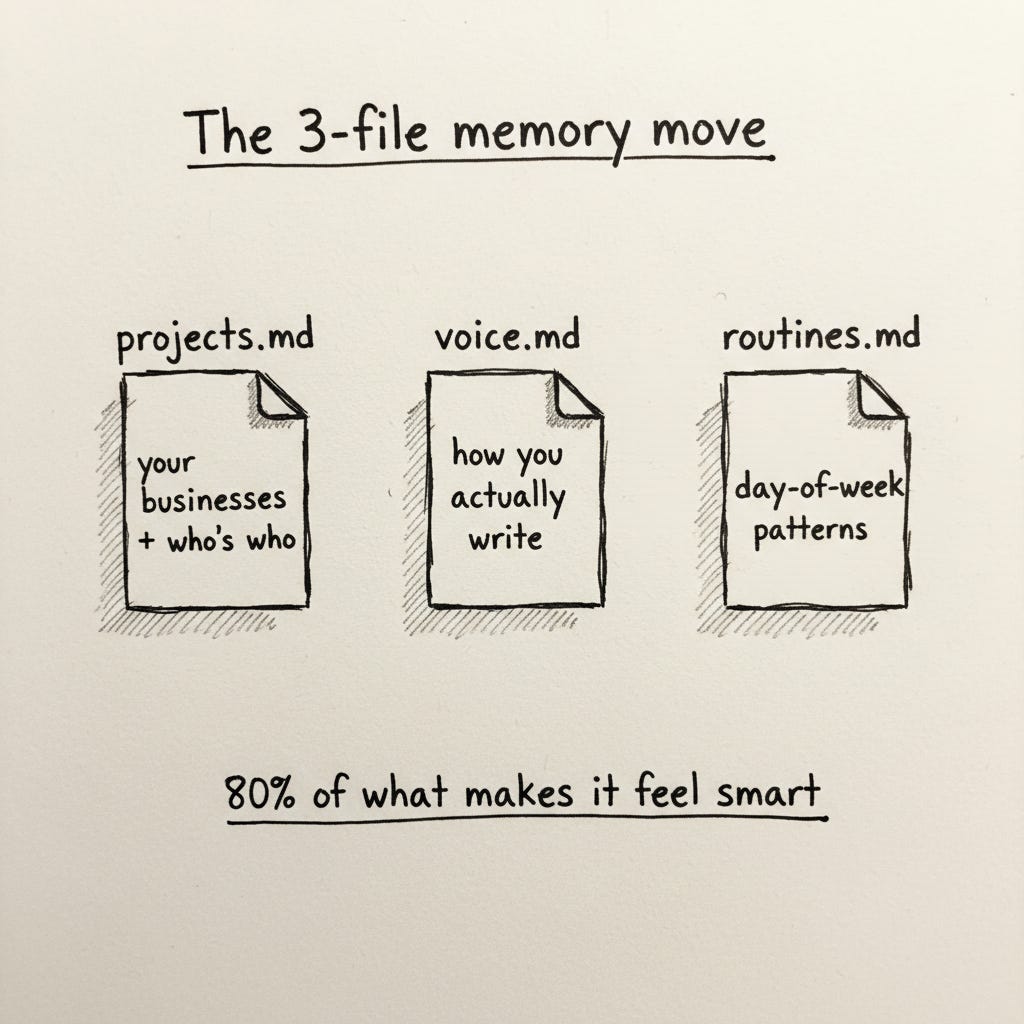
80% of what makes any operator-grade agent feel “smart” lives in three files:
projects.md. Your businesses, with goals plus key people. One page each.voice.md. 3-5 samples of your writing. Real posts, not curated. Hermes picks up tics, not just topics.routines.md. Your day-of-week patterns plus standing meetings.
Don’t over-engineer them. A page each is enough. Review monthly, prune ruthlessly.
The reason these three files matter more than any skill: they’re the difference between “an agent that knows what tools to use” and “an agent that knows what your work is for.” First version of OpenClaw I ran, I didn’t write these files. Hermes felt smart in week one because I’d learned that lesson on OpenClaw the hard way.
The architecture (no code, just decisions)
The stack at a glance:
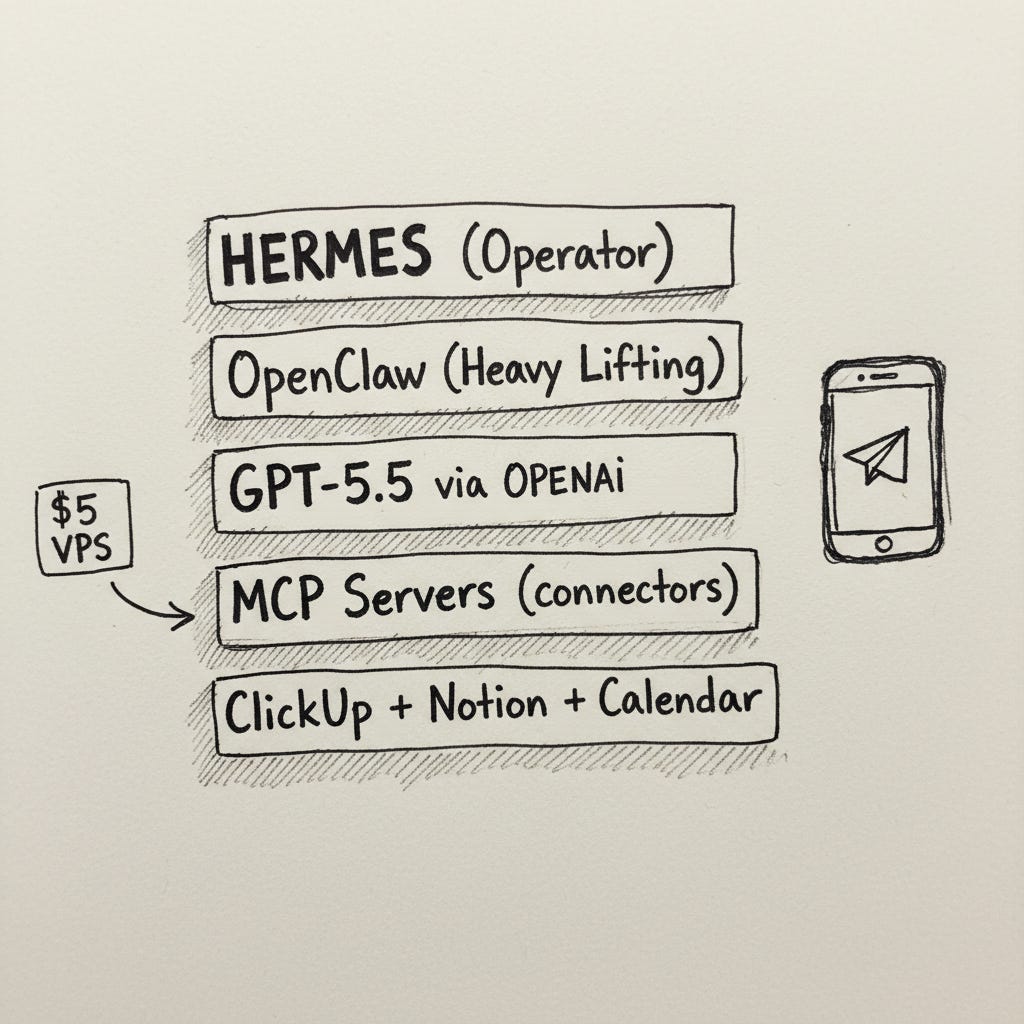
The memory model: three layers.
- Static.
projects.md,voice.md,routines.md. Stable. Reviewed monthly. - Episodic. Per-week summaries. Promoted from volatile at end of day.
- Volatile. Today’s context window. Discarded each evening unless promoted.
Hermes handles the promotion automatically. I review weekly and either promote episodic → static or discard. This three-tier model is the reason “Hermes knows my business” doesn’t decay into “Hermes hallucinates my business.” Without it, you get a confidently-wrong agent within a month.
Cost vs. value:
- Hermes (self-hosted, open source): $0
- OpenAI subscription: ~$20/month
- VPS: ~$5/month
- OpenClaw on a second small VPS (for headless jobs): ~$8/month
- Total: ~$33/month
- Saved: ~12 hours a week between me and the team
Break-even is comically fast. The honest cost isn’t the dollars. It’s the setup time (~10 hours spread over the first two weeks) and memory hygiene (~1 hour a week ongoing). Both are real, and both are worth budgeting before you start.
Where it breaks (the honest catch)
Two things I want you to know before you commit a weekend to this.
OAuth flows are still rough. Hermes’ OAuth handling works cleanly for the big SaaS integrations (Gmail, Calendar, Notion, ClickUp). It’s flaky for smaller tools and for anything that needs SAML or custom auth headers.
System Updates. After a Hermes update, my gateway started restarting while active agents were still working. The system tried to drain the running jobs, timed out after a few minutes, and then interrupted the remaining work. On top of that, several scheduled jobs failed because the Codex auth token was missing or not refreshed properly, while others hit a lower-level NoneType error in the model call path
What I deliberately did NOT give Hermes
The trust boundaries. Without this, the rest of the post is hype.
- Never give Hermes: payment or banking access, password manager, anything destructive on production systems, and ofc the final publish button on Substack.
- Read-only by default. Write access added per workflow, never blanket.
- The rule: anything I’d panic about if a junior teammate did wrong, Hermes doesn’t get write access to it.
- Prompt injection is real. A note in my Notion could contain instructions for the agent. Mitigation: destructive tools stay on “ask each time,” never auto-allow.
- Voice and decisions stay mine. Hermes drafts. Hermes researches. Hermes never decides what to publish, what to charge, who to hire, what to commit to.
The honest limit: Hermes is the operator, not the operator’s brain. The brain is still me. The day I confuse those two is the day this stack stops working.
The bottom line
If you tried OpenClaw and bounced, Hermes is the version that should have shipped first. Auto-skill suggestion is the unlock. The three-tier memory model is the reason it stays useful past week two.
If you ran OpenClaw on Claude Pro and got stranded by the subscription change, the migration is a weekend. Same VPS pattern. Same MCP stack. Different runner, different model. Same Telegram chat. Cheaper than the metered-API path Anthropic’s pricing change pushed everyone toward.
One CTA: don’t replicate my full stack. Replicate one workflow this week. The morning brief.
If your Telegram pings you at 8am tomorrow with a usable summary of your day, you’ll know whether the rest of this is worth your time.
It cost me 30 minutes to set up. It changed how I start my day.
Everything we’ve written on the Claude and agent stack:
- Clawdbot: The Viral Agent in Your Messenger
- The OpenClaw/Moltbot Ecosystem
- How Solopreneurs Are Using Full AI Agents
- MCP: The API 2.0
- Claude Cowork: Complete Guide
- Skills, Plugins & Swarm Mode
Which workflow are you replicating first: the morning brief, the weekly planner, or the research jobs? Drop it in the comments.
This article was first published in the Creators AI newsletter. View the original edition.