GPT Image 1.5: Features, Capabilities, and Nano Banana Pro
Did they beat Google this time?
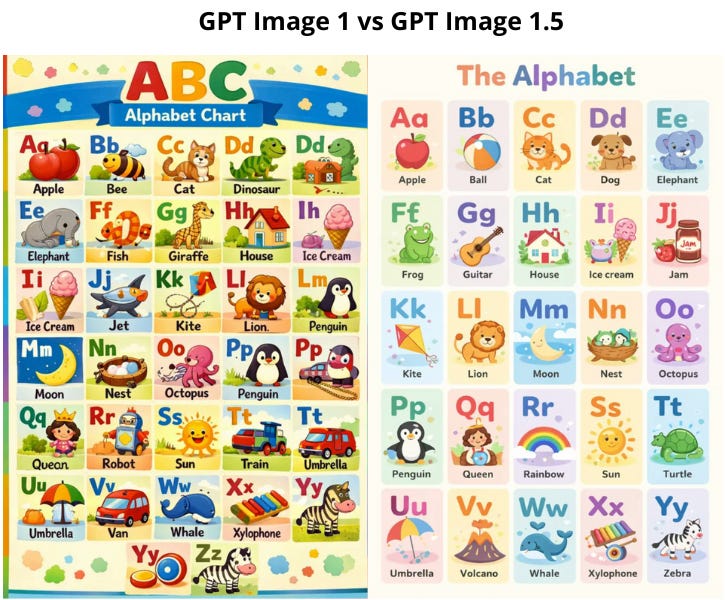
Hello there!
OpenAI decided to go all out and beat Google in the model race with a shirtless photo of Sam Altman.
I’m just kidding. This was just the announcement of GPT Image 1.5, built right into ChatGPT. That said, it got faster, sharper, and more accessible. But this is clearly a response to Nano Banana Pro.
So today, we’ll look at what improvements the model picked up, what it can do, and compare the two models so you can see which one fits you better.
Let’s jump in!
Keep your mailbox updated with practical knowledge & key news from the AI industry!
Key Strengths and Weaknesses
The update is already rolling out to all ChatGPT users.
To make it easier to see what changed, I threw together a comparison table with the previous version:
!function(){"use strict";window.addEventListener("message",(function(e){if(void 0!==e.data["datawrapper-height"]){var t=document.querySelectorAll("iframe");for(var a in e.data["datawrapper-height"])for(var r=0;r<t.length;r++){if(t[r].contentWindow===e.source)t[r].style.height=e.data["datawrapper-height"][a]+"px"}}}))}();
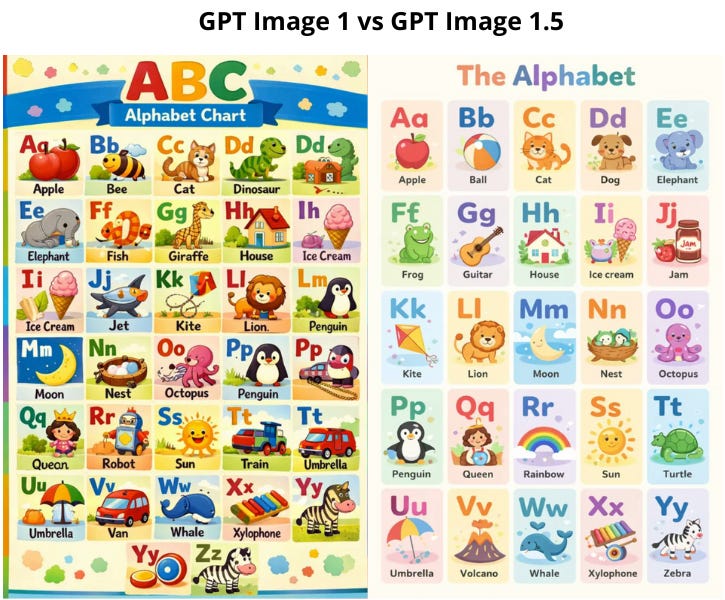
Text Rendering Improvements
Companies are working hard to get models to handle text right. Photo models are doing pretty well at this now (video models, as we saw with Kling O1, are still struggling tho).
Here is what has changed:
- The model can now render structural elements from Markdown code. This means if you provide a structured text with headers (#), bold text (\*\*), and bullet points, the model can “lay out” this information naturally onto objects like newspapers or posters.
- One of the biggest upgrades is accurate grid and table rendering. It keeps columns and rows aligned, so you can create infographics and data visualizations within an image.
- Also, the model gets better at where text belongs. Like, it integrates it into the texture and lighting of the surface, so it places text on a crumpled piece of paper properly.
What I like is that you can now run image generations in parallel now, without waiting for the previous ones to finish.
Precise Edits Without Wrecking the Image
The key feature of this update is strict instruction-following during edits.
The model changes only what you ask for (are we really just now arriving at this “revolutionary” idea, lol 😑). It keeps important details intact: lighting, composition, proportions, and facial features. And this works even through multiple consecutive edits.
GPT Image 1.5 now handles:
- adding and removing objects
- combining multiple images
- mixing styles
- transforming specific elements without touching the background
Google boasted about the same thing when it released Nano Banana. In practice, this means more realistic examples: trying on clothes and hairstyles, plus conceptual changes without the image looking rebuilt from scratch.
ChatGPT Added a Separate Images Section to the Sidebar
It has ready-made styles, templates, and popular scenarios you launch without writing complex prompts. ChatGPT turns into a compact creative studio.
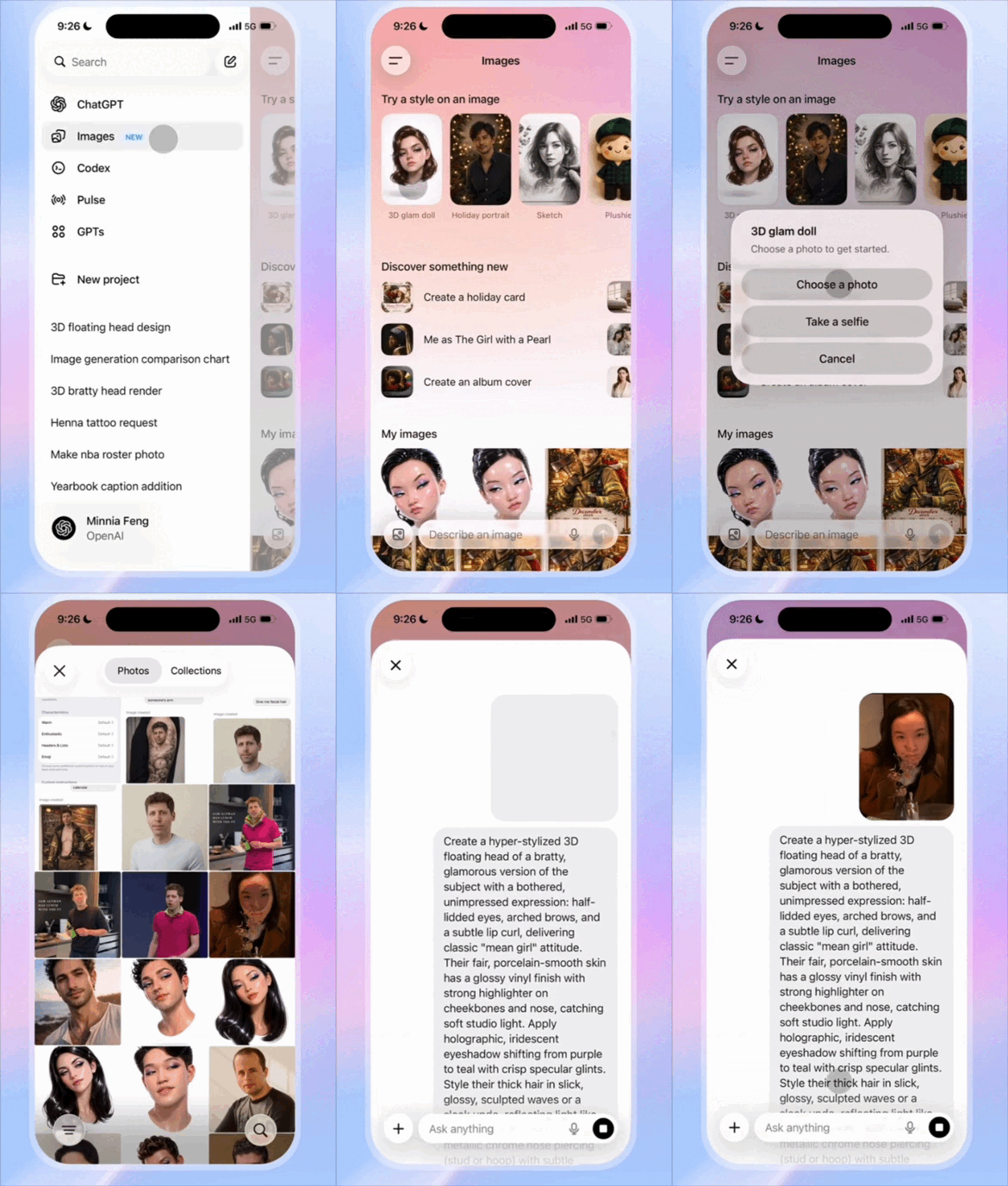
In a nutshell, the update generally improved its ability to preserve logos and brand colors across different scenes and angles. This makes it a solid tool for e-commerce catalog generation, for creating illustrations, social media visuals, marketing materials, concept art, covers, banners, and quick photo edits without the need for complex graphic editors.
Ravi Mehta, OpenAI’s head of consumer apps, also hinted at deeper visual integration in ChatGPT. In the future, search answers might come with visual charts and images with source citations right away. The goal, according to Mehta, is to “shrink the distance between an idea in your head and the ability to make it real”.
Limitations
- The devs admit the model still makes scientific mistakes and sometimes messes up when generating lots of faces in a crowd.
- Despite improvements, in some cases (skin, backgrounds, small background details), the images still look “too perfect” and slightly plastic.
Here is roughly what this means:
Prompt:
a cross-stitch of a Christmas elf - anime style. The elf is working at a guitar store, and guitars hang on the wall. The cross stitch has a christmas border with mistletoe and christmas decorations.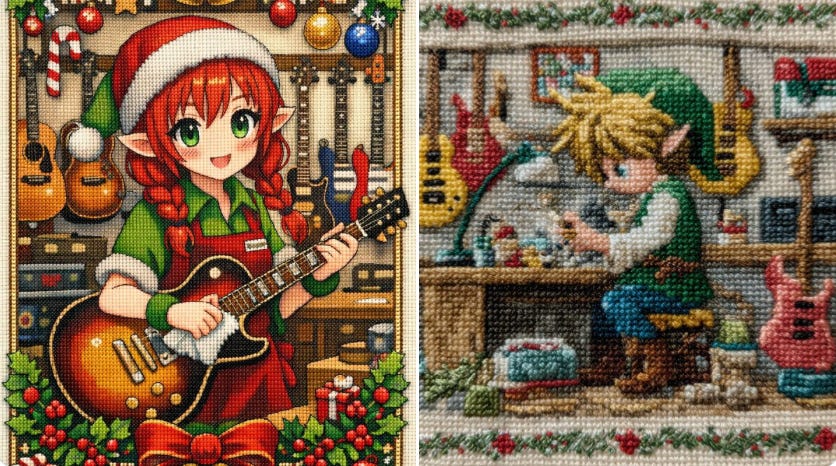
source: @MashTunTimmy
What You Can Create with GPT Image 1.5
Anyway, it's still a next-level upgrade. Grab these ideas to try:
Product Photo Shoots
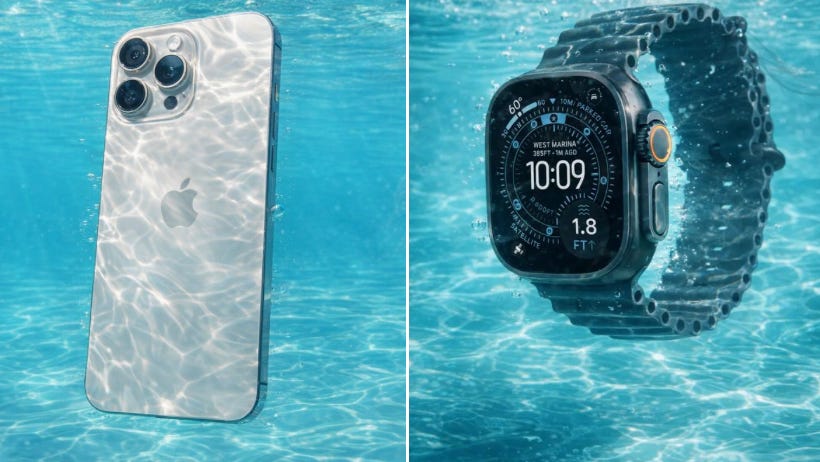
Prompt:
[Reference Image] fully submerged in crystal-clear, turquoise water, captured in ultra-high-resolution underwater photography. Sunlight penetrates the surface above, creating intricate caustic light patterns that ripple and dance across the subject and surrounding water. The scene conveys pristine clarity with zero particulate matter, emphasizing a sense of suspended weightlessness and serene motion. Fine details are frozen using high-speed capture, with subtle bubbles and flowing fabric or hair enhancing the feeling of aquatic elegance. The overall aesthetic is clean, refreshing, and ethereal, with soft natural color grading, high dynamic range, and cinematic realism.Studio Close-Ups
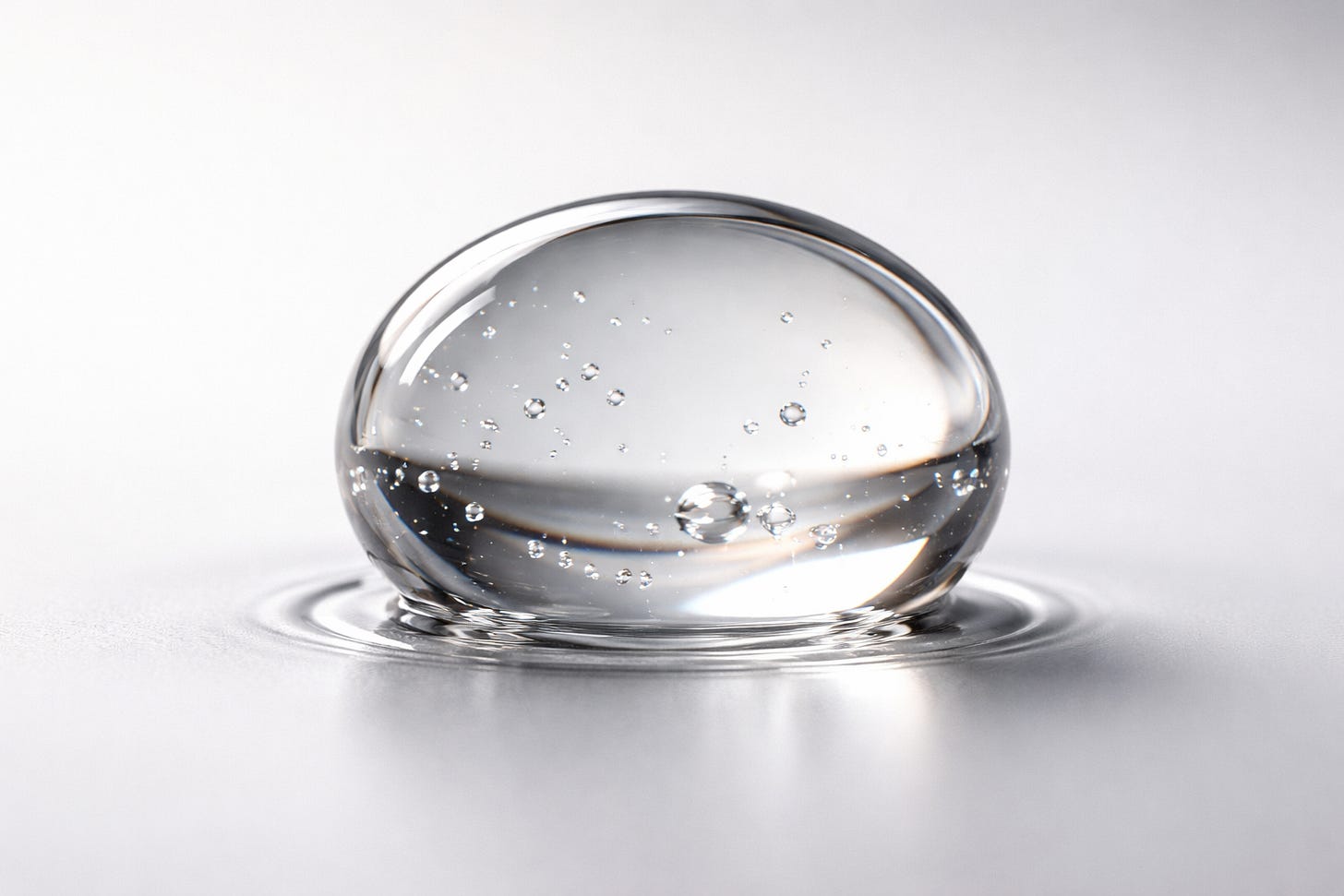
Prompt:
Ultra-macro close-up of a single drop of skincare serum touching a smooth surface. Extreme optical clarity shows internal structure and subtle refraction. Surface tension and frozen micro-ripple preserved. Studio lighting: soft diffused key light + gentle rim light. Minimal, out-of-focus background, clean gradient. Photorealistic, cinematic, scientifically precise. Preserve proportions, refraction, and natural color. No stylization, no artifacts, no extra elements.Infographics
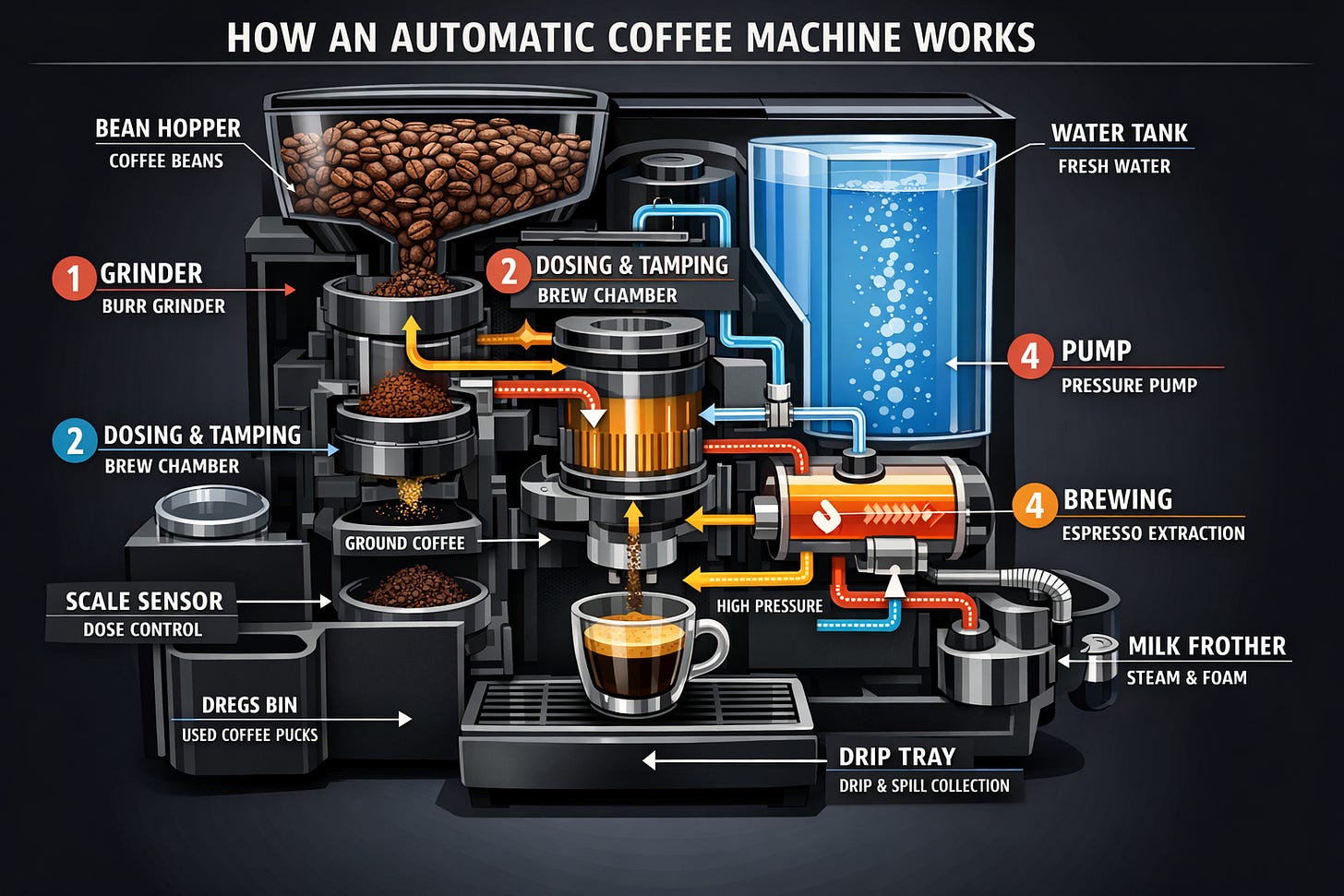
Prompt:
Create a detailed Infographic of the functioning and flow of an automatic coffee machine like a Jura. From bean basket, to grinding, to scale, water tank, boiler, etc. I’d like to understand technically and visually the flow.World knowledge and context
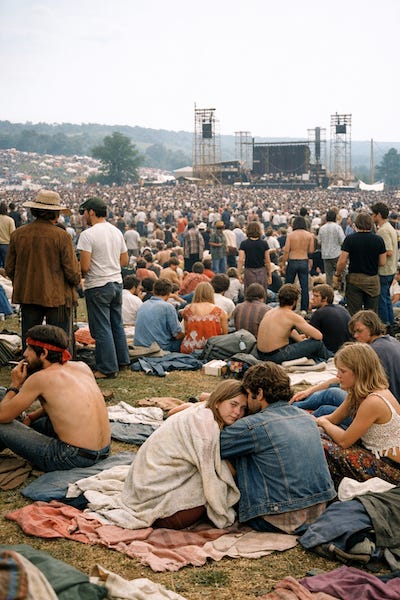
Prompt:
Create a realistic outdoor crowd scene in Bethel, New York on August 16, 1969. Photorealistic, period-accurate clothing, staging, and environment.Short Guide to Effective Prompting
- Use a clear prompt structure
According to devs, a reliable structure is:
Scene / background → subject → key details → constraints → intended useFor complex tasks, use short labeled sections or line breaks instead of a single long paragraph.
- Define:
- What must appear in the image
- What must stay exactly the same
- What is allowed to change
- how the image will be used (ad, UI mockup, infographic, print)
- Avoid:
- ultra-detailed
- masterpiece
- Prefer:
- materials, textures, lighting
- scale and perspective
- photography or rendering terms when aiming for realism
- Always specify:
- framing (close-up, wide, top-down)
- viewpoint (eye-level, low-angle)
- lighting and mood (soft diffuse, dusk, overcast)
- layout and placement when relevant
- The most important rule:
“Change only X. Keep everything else the same.”
Repeat what must be preserved on every edit:
- identity or face
- geometry and proportions
- camera angle and framing
- background
- existing text or layout
Nano Banana Pro vs GPT Image 1.5
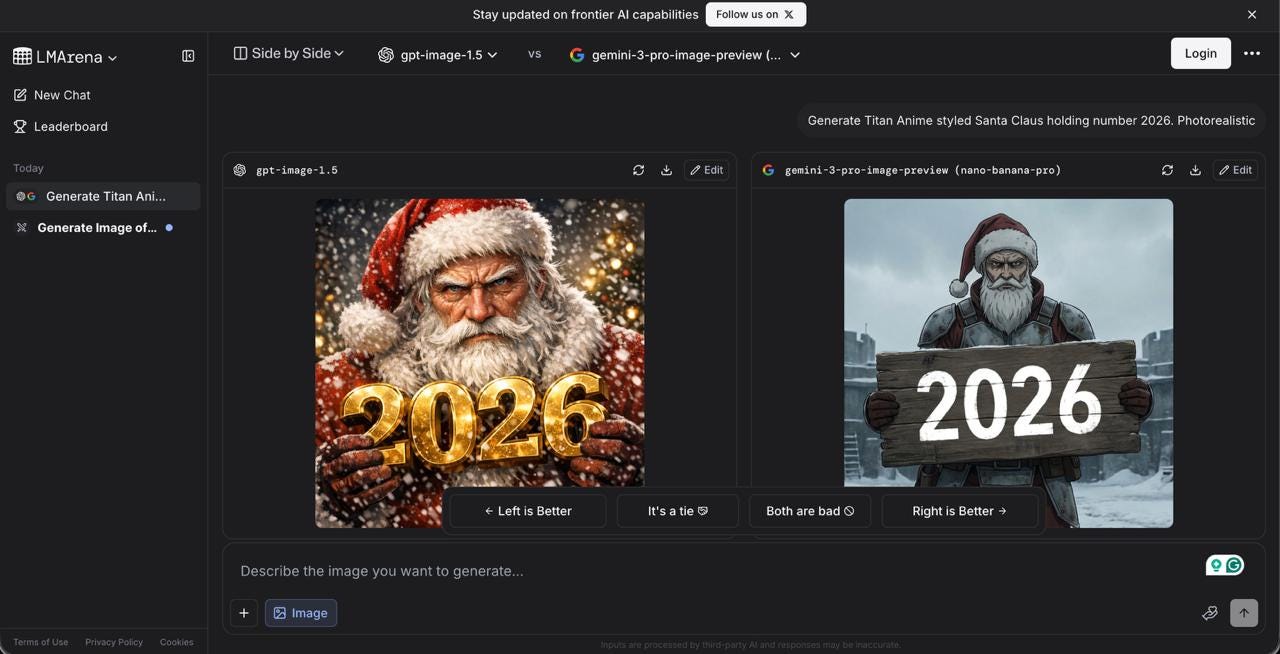
In the LMArena rankings, where models get compared blind, GPT Image 1.5 took first place, edging out Nano Banana Pro by a bit.
But if we’re talking about real-world use instead of detached benchmarks, we’ll show you what criteria to use when comparing models and what details to watch for. You can apply this approach to any model later, so you immediately know how strong each one is.
Let’s see who’s doing better.
Let’s start with a general visualization first.
Industrial sunset scene
Prompt:
Scene/background: A sprawling steel mill at sunset with tall smokestacks and complex piping.
Subject: Workers in protective suits operating machinery.
Key details: Warm orange-purple sunset light reflecting off metal surfaces, faint smoke and sparks in the air, puddles on the ground mirroring the lights, cranes and conveyor belts forming geometric patterns.
Constraints: Keep factory layout, machinery geometry, and workers’ positions exactly the same.
Intended use: Wide cinematic shot for a digital concept art background, 16:9, eye-level view, soft diffused sunset lighting, detailed textures on metal and concrete.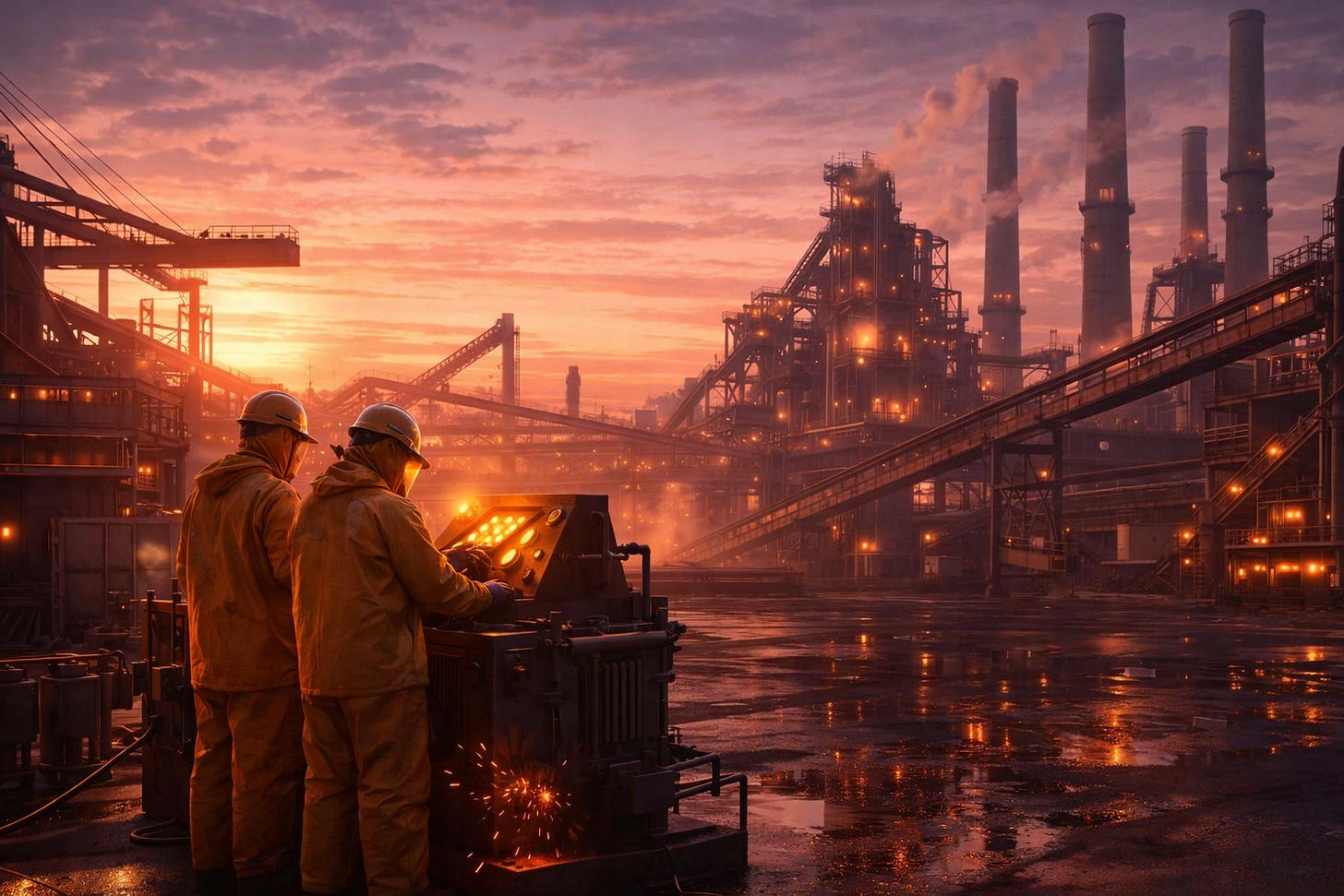
GPT Image 1.5
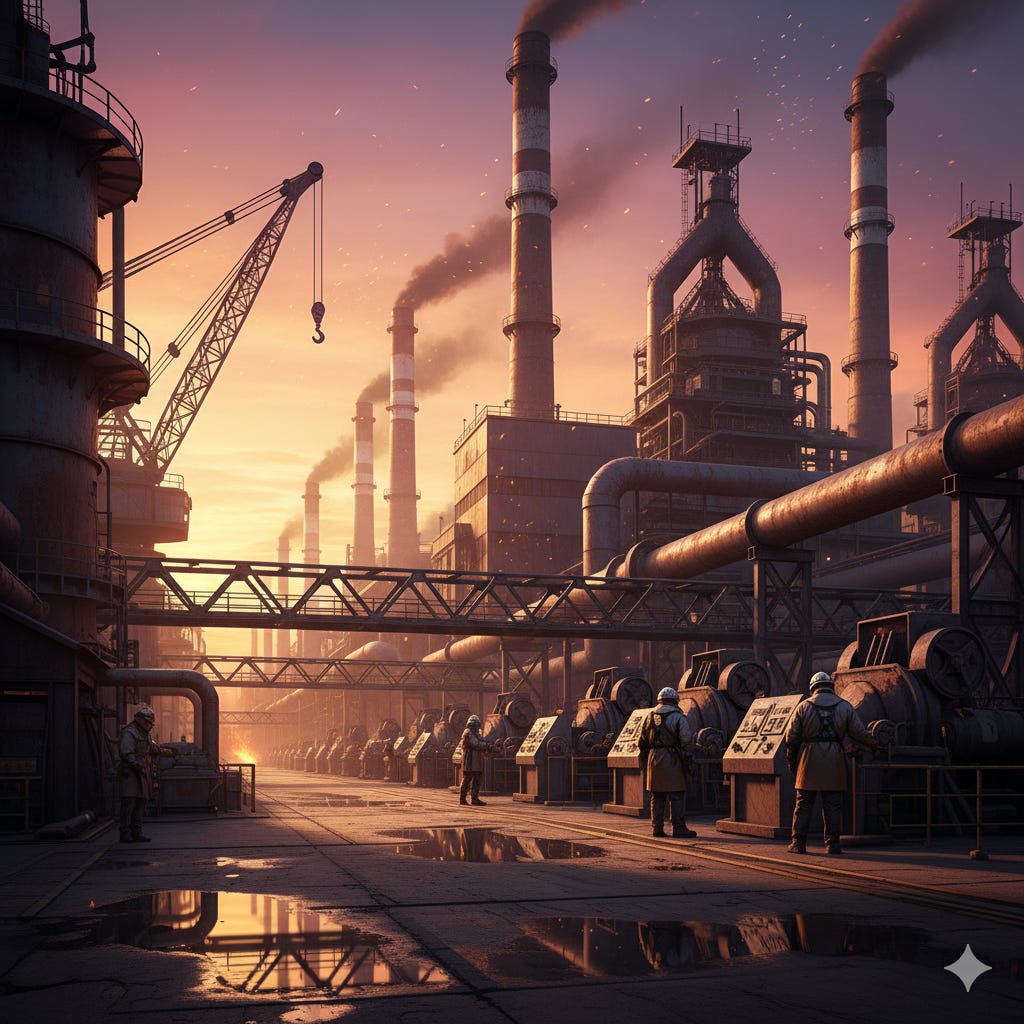
Nano Banana Pro
Takeaway: ChatGPT gives us a gorgeous sunset with way richer colors and tones. At first glance, the details look more worked out, but when you look closer, it turns into some kind of Tower of Babel situation (I swear, look at this thing in the middle). Nano Banana has way more logical structure, no weird elements that lead nowhere.
Watercolor illustration of the Eiffel Tower square
Prompt:
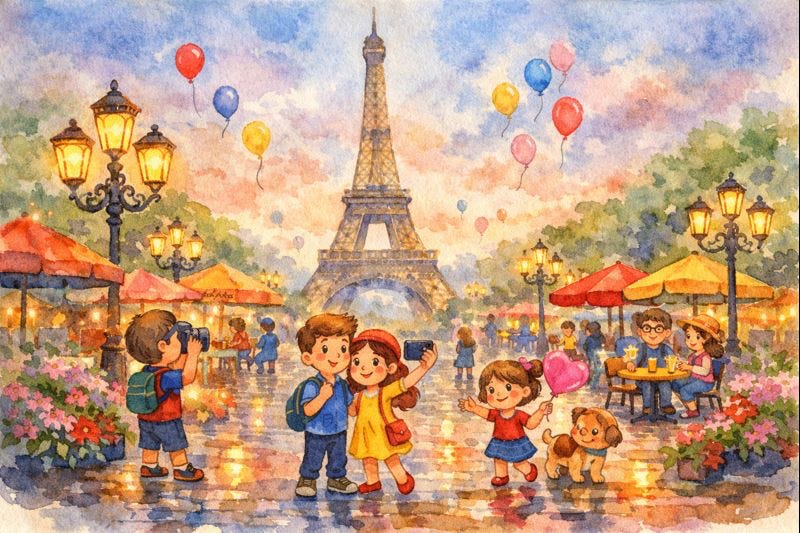
Scene/background: The square in front of the Eiffel Tower, transformed into a whimsical watercolor illustration. Subject: Cartoon-style characters walking, taking photos, and interacting. Key details: Bright lanterns, blooming flowerbeds, colorful café umbrellas, balloons in the sky, wet cobblestone reflecting lights, slight mist for magical atmosphere. Constraints: Keep Eiffel Tower geometry, perspective, and camera angle unchanged. Intended use: Illustration for a children’s travel brochure, 16:9, wide framing, soft evening glow, emphasis on textures and reflections.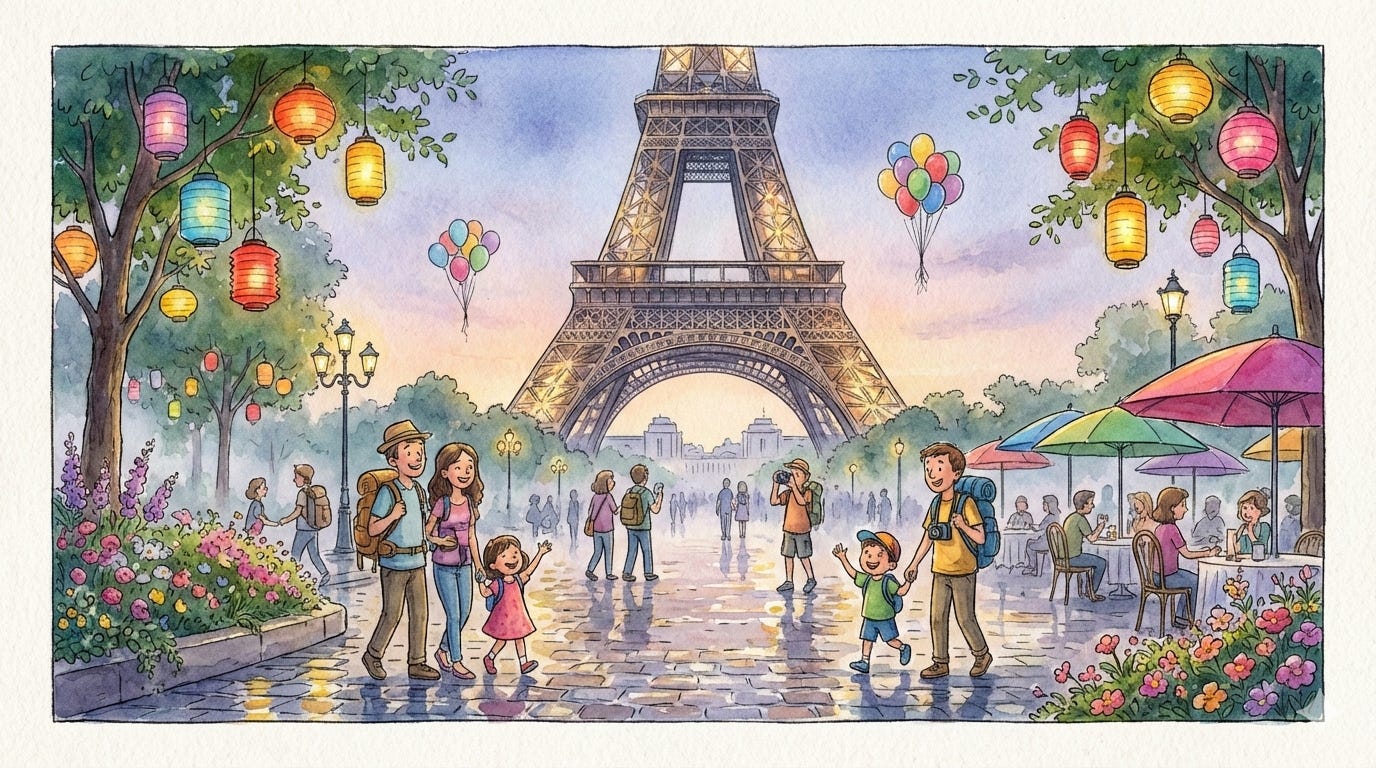
Nano Banana Pro
GPT Image 1.5
Takeaway: Both models did well overall. Image 1.5 made a solid attempt at mimicking watercolor. But the background on Image 1.5 has more slop going on. We see that someone is sitting without a chair, and weird cups are floating around. In fact, Nano Banana’s background is more thought-through. I admit it handles details better.
Logic Check: Does It Make Sense?
Alright, now let’s see how the logic holds up. What happens if I don’t give clear instructions?
Ball trajectory
I came across this example, so I wanted to try it out too.
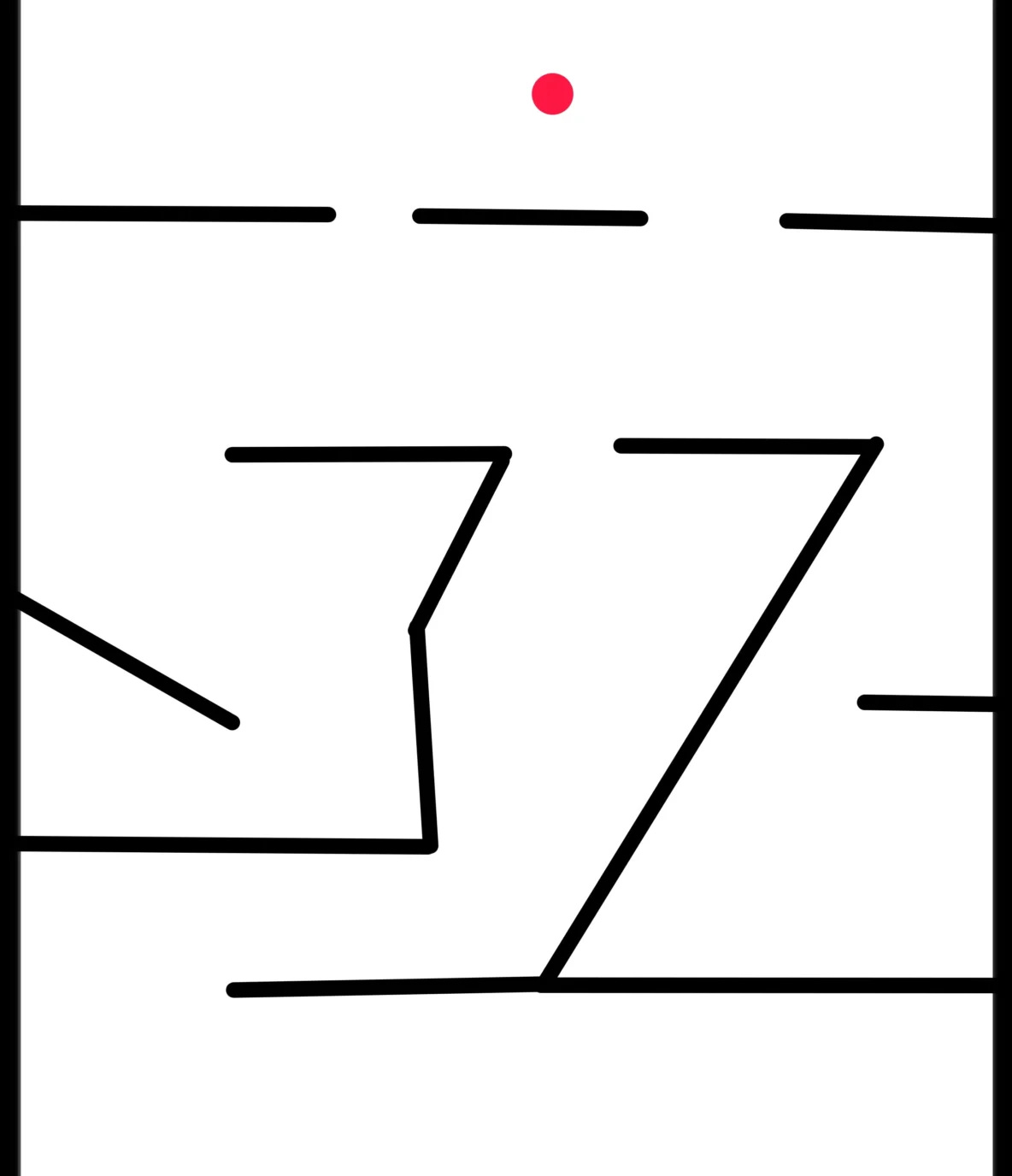
Here was the original.
Prompt:
Draw a red sequential arrow showing the trajectory where this red ball should correctly fall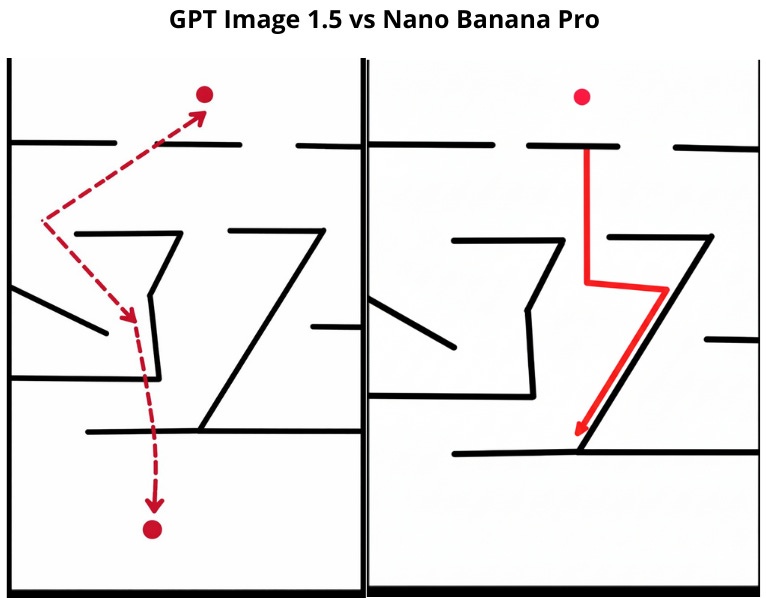
Takeaway: Well…both failed. Nano Banana Pro at least tried, and the trajectory is pointed right. ChatGPT didn’t even attempt it.
Broken glass test
Prompt:
A broken glass on the floor below, pushed off the edge of a table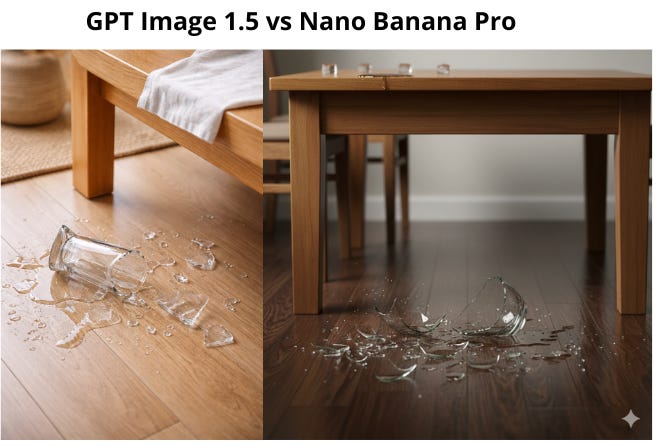
Takeaway: For me personally, Nano Banana Pro is the clear winner here. The colors are quality, and I buy that the glass could shatter into pieces like that. Though to be fair, both nailed the water.
Editing Features
Now let's test how well these models handle edits.
Face consistency
Prompt:
Scene/background: original Moana image with the exact same background → Subject: Moana, same identity and facial features → Key details: change only the hair—make it short and green, natural matte green tone, realistic hair texture, no accessories → Constraints: Change only hair color to green and hair length to short. Keep everything else exactly the same: character identity and face, head shape, body geometry and proportions, pose, camera angle, framing, background, lighting, mood, existing text, and overall layout → Framing & viewpoint: preserve the original framing and viewpoint (e.g., medium shot, eye-level) → Lighting & mood: keep the original lighting and atmosphere unchanged → Allowed changes: only hair color and length, without altering hairline shape or volume beyond shortening → Intended use: final illustration/poster-ready image with consistent materials, textures, and realistic rendering.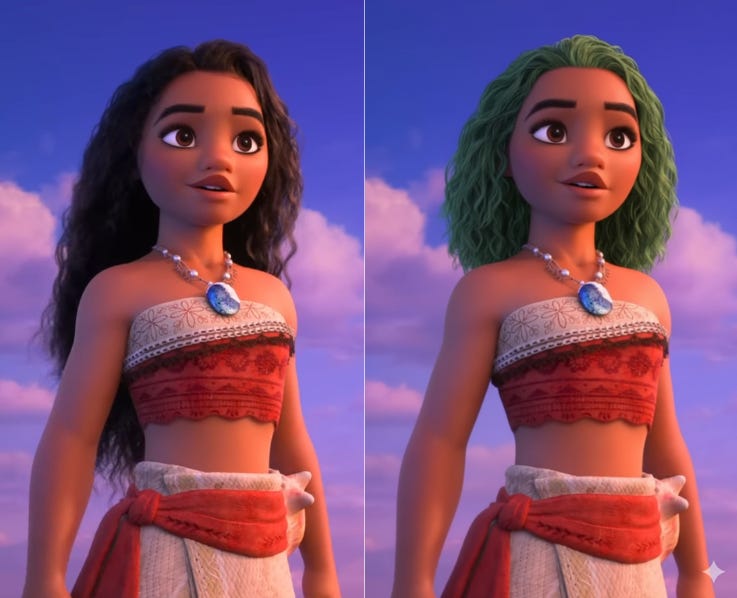
Nano Banana Pro
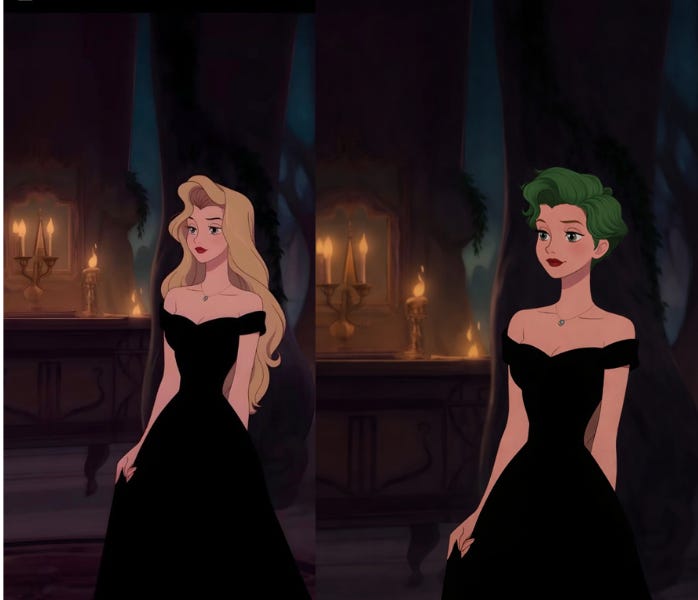
GPT Image 1.5
Takeaway: The second photo is definitely not Moana, but only because Image 1.5 refused to do it based on copyright (so much for the Disney x OpenAI deal, huh?). I had to swap the photo, but overall, both models nailed it. The images stayed the same.
Replacing text in an image
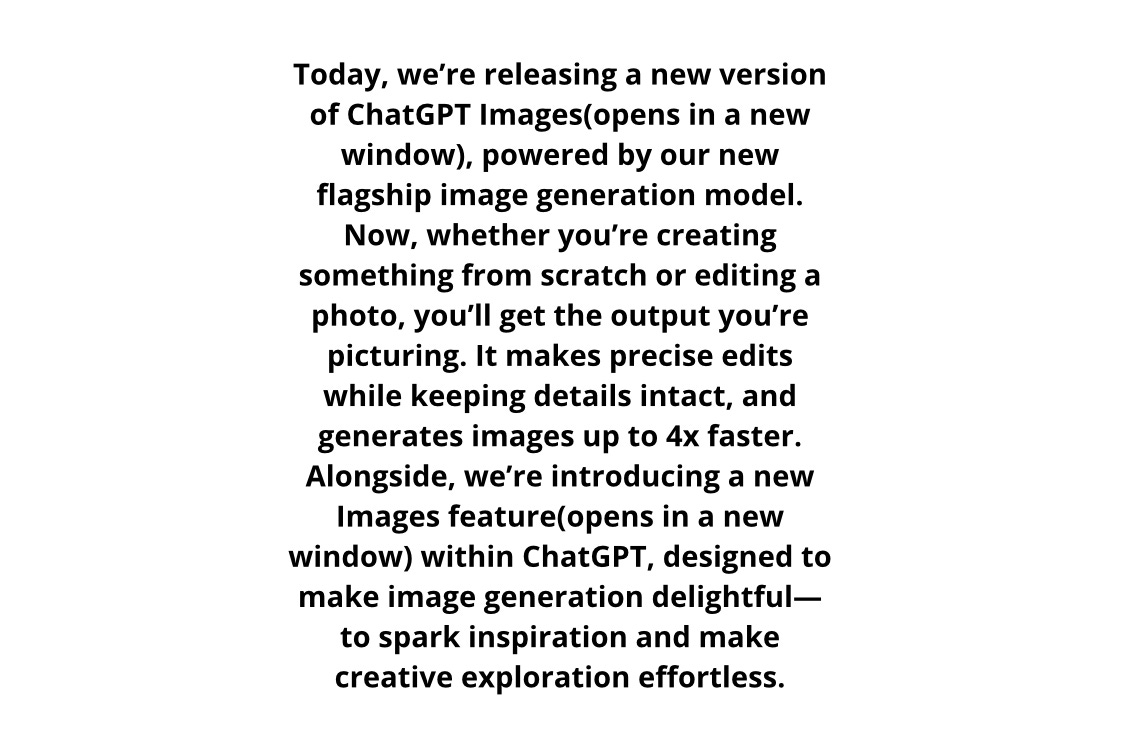
Here was the original text.
Prompt:
Find the sentence “It makes precise edits while keeping details intact, and generates images up to 4x faster.” in the provided text and replace it with “It enables more consistent creative control while preserving visual fidelity across edits.”, keeping everything else exactly the same: font, typography, text size, color, alignment, line breaks, spacing, layout, and overall style; change only the sentence text, do not alter surrounding wording, formatting, or placement, and ensure the replacement fits naturally within the existing paragraph for use in a product announcement webpage.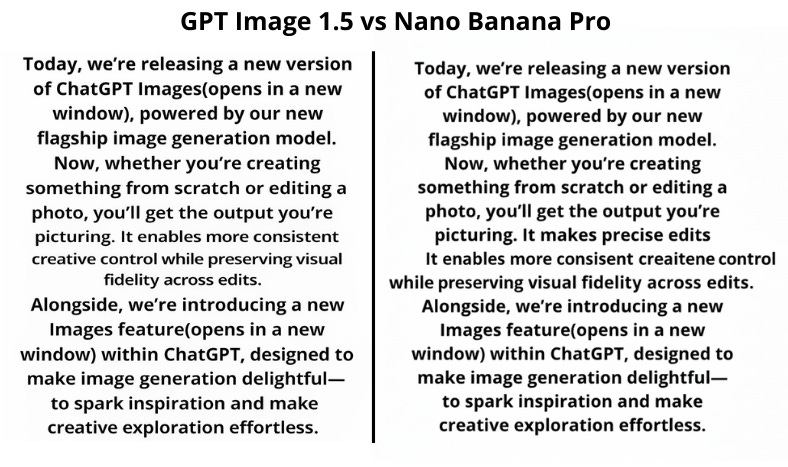
Takeaway: You can track in both models that we swapped the text. But while in Banana it stands out just a tiny bit, GPT Image 1.5 didn’t sweat it much. But overall, it left everything else as is, so thanks for that.
Now it’s time for the technical comparison:
!function(){"use strict";window.addEventListener("message",(function(e){if(void 0!==e.data["datawrapper-height"]){var t=document.querySelectorAll("iframe");for(var a in e.data["datawrapper-height"])for(var r=0;r<t.length;r++){if(t[r].contentWindow===e.source)t[r].style.height=e.data["datawrapper-height"][a]+"px"}}}))}();
Bottom line, GPT Image 1.5 is falling behind, let’s be honest. The details still feel way stronger in Nano Banana Pro, though GPT Image 1.5 does feel noticeably faster. Feels like they pushed it out slightly half-baked, rushing to get something out the door.
This article was first published in the Creators AI newsletter. View the original edition.